Archive for the ‘linux and unix’ Category

life is too short to use horde

Saturday, January 23rd, 2010

I own a bunch of different domains and run a mail service on all of them. In the past I have used a variety of different ways of providing mail, from simple pop/imap using dovecot and postfix, through to using the database driven mail service in egroupware.

Recently I have consolidated mail for several of my domains onto one of my VPSs. I don’t have a lot of mail users so at first I stuck with the simple approach available to all dovecot/postfix installations, i.e. – using dovecot as the local delivery mechanism and simply telling postfix to hand off incoming mail to dovecot. Dovecot then has to figure out where to deliver mail. I also used a simple password file for the dovecot password mechanism. This mechanism worked fine for a small number of users, but it rapidly becomes a pain if you have multiple users across multiple domains and you wish to allow those users to change their passwords remotely. The solution is to move user management to a MySQL backend and change the postfix and dovecot configurations to use that backend database.

Now to allow (virtual) users to change their mail passwords, most on-line documentation points to the sork password module for horde. But have you /seen/ horde? Sheesh, what a dog’s breakfast of overengineered complexity. I flatter myself that I can find may away around most sysadmin problems. but after most of a day one weekend trying to install and configure the entire horde suite just so that I could use the remote password changing facility I gave up in disgust and went searching for an easier mechanism. Sure enough I found just what I wanted in the shape of postfixadmin. This is a php application which provides a web based interface for managing mailboxes, virtual domains and aliases on a postfix mail server.

Postfixadmin is easy to install and has few dependencies (beyond the obvious php/postfix/mysql). There are even ubuntu/debian packages available for users of those distributions. I also found an excellent installation howto at rimuhosting which I can recommend.

I can now manage all my virtual domains, user mailboxes and aliases from one single point – and the users can manage their passwords and vacation messages from a simple web interface.

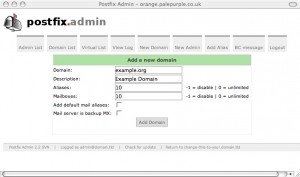
image of postfixadmin page

postfixadmin domain creation

Whilst I currently only provide pop3s/imaps mail access through dovecot, postfixadmin offers a squirrelmail plugin to integrate webmail should I wish to do that in future.

Simple, elegant and above all, usable. And it didn’t take all day to install either.

shiny!

Wednesday, December 30th, 2009

Well I finally cracked and ordered an N900 on-line just before Christmas. Nokia had been promising since about August of this year that the device “might” ship in the UK around October. Since then, the release date has slipped, and slipped, and slipped (much to the amusement of an iPhone using friend of mine who predicted exactly that back in August). Every time I read about a new impending release date I checked with the major independent retailers only to be told “no, not yet, maybe next month”.

Many review sites are now saying that Vodafone and T-Mobile will both be shipping the N900 on contract in January. Well, not according to the local retail outlets for those networks they won’t. And besides, I had no intention of locking myself in to a two year contract at around £35-£40 pcm, particularly if the network provider chose to mess about with the device in order to “customise” it. So, as I say, I cracked and ordered one on-line, unlocked and SIM free on 21 December. It arrived yesterday, which is pretty good considering the Christmas holiday period intervened.

nokia n900

nokia n900

So what is it like?

Well, there is a pretty good (if somewhat biased) technical description on the Nokia Maemo site itself, and that site also has a pretty good gallery of images of the beast so I recommend interested readers start there. There are also a number of (sometimes breathless) reviews scattered around the net, use your search engine of choice to find some. I won’t attempt to add much to that canon here. Suffice to say that I am a gadget freak and a fan of all things linux and open source. This device is a powerful, hand held ARM computer with telephony capability – and it runs a Debian derivative of linux. What more could you ask for?

Tap the screen to open the x-terminal and you drop in to a busybox shell.

busybox shell on the N900

busybox shell on the N900

Oh the joy!

So – first things first. Add the “Maemo Extras” catalogue to the application manager menu, then Install openSSH, add a root password and also install “sudo gainroot”. Stuff you Apple, I’ve got a proper smartphone (and, moreover, one which is unlikely to be hit by an SSH bot because a) I have added my own root password, and b) I have moved the SSH daemon to a non-standard port – just because I can). Now I can connect to my N900 from my desktop, but more importantly from my N900 to my other systems. Next on the agenda is the addition of OpenVPN so that I can connect back to my home network from outside. Having the power and portability of the N900 means that even my netbook is looking redundant as a mobile remote access device.

(Oh, and it’s a pretty good ‘phone too, if a little bulky).

[ update posted 16 March 2010 - This review at engadget.com is in my view well balanced and accurate. I have now had around three months usage from my N900 and I love its power and internet connectivity, but I have found myself carrying my old 6500 slide for use as a phone. I agree with engadget that the N900 is a work in progress. If I were designing a successor (N910?) personally I'd drop the keyboard (which I hardly ever use in practice) and save weight and thickness. ]

system monitoring with munin

Sunday, November 15th, 2009

A while back a friend and colleague of mine introduced me to the server monitoring tool called munin which he had installed on one of the servers he maintains. It looked interesting enough for me to stick it on my “to do” list for my VPSs. Having a bunch of relevant stats presented in graphical form all in one place would be useful. So this weekend I decided to install it on both my mail and web VPS and my tor node.

Munin can be installed in a master/slave configuration where one server acts as the main monitoring station and periodically polls the others for updated stats. This is the setup I chose, and now this server (my web and mail host) acts as the master and my tor node is a slave. Each server in the cluster must be set to run the munin-node monitor (which listens by default on port 4949) to allow munin itself to connect and gather stats for display. The configuration file allows you to restrict connections to specific IP addresses. On the main node I limit this to local loopback whilst on the tor node I allow the master to connect in addition to local loopback. And just to be on the safe side, I reinforced this policy in my iptables rules.

The graphs are drawn using RRDtool, which can be a little heavy on CPU usage, certainly too heavy for the slugs which ruled out my installing the master locally rather than on one of the VPSs. But the impact on my bytemark host looks perfectly acceptable so far.

One of the neatest things about munin is its open architecture. Statistics are all collected via a series of plugins. These plugins can be written in practically any scripting language you care to name. In the plugins which came by default with the standard debian install of munin I found plugins mostly written as shell scripts with the occasional perl script. However, a couple of the additional scripts I installed were written in php and python. The standard set of plugins covers most of what you would expect to monitor on a linux server (cpu, memory i/o, process stats, mail traffic etc). but there were two omissions which were quite important to me. One was for lighttpd, the other for tor. I found suitable candidates on-line pretty quickly though. The tor monitor plugin can be found on the munin exchange site (a repository of third party plugins). I couldn’t find a lighttpd plugin there but eventually picked one up from here (thomas is clearly not a perl fan).

Most plugins (at least those supplied by default in the the debian package) “just work”, but some do need a little extra customisation. For example the “ip_ ” plugin (which monitors network traffic on specified IP addresses) gets its stats from iptables and assumes that you have an entry of the form:

-A INPUT -d 192.168.1.1
-A OUTPUT -s 192.168.1.1

at the top of your iptables config file. You also need to ensure that the “ip_” plugin is correctly named with the suffix formed of the IP address to be monitored (e.g. “ip_” becomes “ip_192.168.1.1″). The simplest way to do this (and certainly the best way if you wish to monitor multiple addrresses) is to ensure that the symlink from “/etc/munin/plugins/ip_” to “/usr/share/munin/plugins/ip_” is named correctly. Thus (in directory /etc/munin/plugins):

ln -s /usr/share/munin/plugins/ip_ ip_192.168.1.1

The lighttpd plugin I found also needs a little bit of work before you can see any useful stats. The plugin connects to lighty’s “server status” URL to gather its information. So you need to ensure that you have loaded the mod_status module in your lighty config file and you have specified the URL correctly (any name will do, it just has to be connsistent in both the lighty config and the plugin). It is also worth restricting access to the URL to local loopback if you are not going to access the stats directly from a browser from elsewhere. This sort of entry in your config file should do:

server.modules += ( “mod_status” )

$HTTP["remoteip"] == “127.0.0.1″ {
status.status-url = “/server-status”
}

The tor plugin connects to the tor control port (9051 by default) but this port is normally not configured because it poses a security risk if configured incorrectly. Unless you also specify one of “HashedControlPassword” or “CookieAuthentication”, in the tor config file, then setting this option will cause tor to allow any process on the local host to control it. This is a “bad thing” (TM). If you choose to use the tor plugin, then you should ensure that access to the control port is locked down. The tor plugin assumes that you will use “CookieAuthentication”, but the path to the cookie is set incorrectly for the standard debian install (which sets the tor data directory to /var/lib/tor rather than the standard /etc/tor).

So far it all looks good, but I may add further plugins (or remove less useful ones) as I experiment with munin over the next few weeks.

OSS shouldn’t frighten the horses

Wednesday, November 11th, 2009

Since I first read that Nokia were adding much needed telephony capability to their N8x0 range of internet tablets I have been watching the development of the new Nokia N900 with much interest. It looks to be potentially the sort of device I would buy. Despite all the hype around the iPhone, I really dislike Apple’s proprietary approach to locking in its customers and I hate even more its use of DRM. So the emergence of a device which uses Linux based software such as Maemo and which is obviously targetted at the iPhone’s market looks to me to be very interesting. But some of the advertising is starting to look scary….

(I still want one though.)

logrotate weirdness in debian etch

Sunday, October 18th, 2009

I have two VPSs, both running debian. One runs lenny, the other runs etch. The older etch install runs fine, and is much as the supplier delivered it. Until now I have not had cause to consider the need to upgrade the etch install to lenny because it “just worked”. But today I noticed for the first time a very odd difference between the two machines. A difference which had me scratching my head, and reading too many man entries, for some long time before I found the answer.

For reasons I don’t need to go into, I log all policy drops in my iptables config to a file called “/var/log/firewall”. This file is (supposedly) rotated weekly. The logrotate and cron entries on both machines are identical.. The entry in “/etc/logrotate.d/firewall” looks like this:

/var/log/firewall {
rotate 6
weekly
mail logger@baldric.net
compress
missingok
notifempty
}

The (standard) file “/etc/logrotate.conf” simply calls the firewall logrotate file out of the included directory “/etc/logrotate.d”. The “/etc/cron.daily/logrotate” file (which calls the logrotate script) is also standard and simply says:

#!/bin/sh

test -x /usr/sbin/logrotate || exit 0
/usr/sbin/logrotate /etc/logrotate.conf

and the (again standard) crontab file says:

# /etc/crontab: system-wide crontab
# Unlike any other crontab you don’t have to run the `crontab’
# command to install the new version when you edit this file
# and files in /etc/cron.d. These files also have username fields,
# that none of the other crontabs do.

SHELL=/bin/sh
PATH=/usr/local/sbin:/usr/local/bin:/sbin:/bin:/usr/sbin:/usr/bin

# m h dom mon dow user command
54 * * * * root cd / && run-parts –report /etc/cron.hourly
55 4 * * * root test -x /usr/sbin/anacron || ( cd / && run-parts –report /etc/cron.daily )
36 5 * * 7 root test -x /usr/sbin/anacron || ( cd / && run-parts –report /etc/cron.weekly )
3 3 5 * * root test -x /usr/sbin/anacron || ( cd / && run-parts –report /etc/cron.monthly )
#

So far so simple, and you would expect the file “/var/log/firewall” to be rotated once a week at 04.55 on a sunday morning. Wouldn’t you.

Well, on lenny, you’d be right. But on the etch machine the file was rotated daily at a time completely unrelated to the crontab entry. It turns out that there is a bug in the way etch handles logrotation because syslog doesn’t use logrotate and overrides the logrotation entries run out of cron. I found this after much searching (and swearing).

See the bug report at bugs.debian.org and this entry which pointed me there.

I love standards.

debian on a DNS-313

Saturday, October 3rd, 2009

I bought another new toy last week – a D-Link DNS 313 NAS.

D-Link DNS-313

D-Link DNS-313

Actually, this was a mistake because what I really wanted was the DNS-323. I just wasn’t careful enough at the time. Quite apart from having space for two 3.5″ SATA hard drives instead of just one, the 323 is a very different beast to its smaller (and much cheaper) sibling.

Martin Michlmayr has a nice guide to installing debian on a 323. Given that the 323 has a faster processor and more RAM than a slug and it can take two internal SATA disks rather than just the external USBs it looks like an attractive option for a new debian based server. Pity then that I bought the wrong one. My excuse is that I thought the only difference was in the disk capacity and I was prepared to settle for just 1TB of store. The (normally reliable) owner of the shop where I bought the beast was also adamant that the disk capacity was the only difference between the two devices. I should have known better than to succumb to what was essentially an impulse buy when I wasn’t really intending to buy a new NAS at the time (I was in the shop for something else and picked up the 313 because I recalled reading Martin’s pages recently).

Once I got the 313 home of course and checked the specs it looked as if I would be stuck with the D-Link supplied OS. However, a bit of searching turned up the DSM-G600, DNS-323 and TS-I300 Hack Forum which has a series of articles on installing debian on a 313 (despite the forum title). A forum contributor called “CharminBaer” has put together a nice tarball of debian lenny which allows the user to replace the D-Link OS without actually reflashing the device. This means that the original bootloader is retained but the device boots into the replacement system on disk. The nicest part of this installation method is that there is almost no risk of bricking the device because the installation simply entails copying the tarball onto the disk over a USB connection, extracting the files and then booting into a shiny new Lenny install. Result.

The tarball can be found here, and the installation instructions are here.

Many thanks to “CharminBaer”.

wordpress on lighttpd

Saturday, September 12th, 2009

I have commented in the past how I prefer lighttpd to apache, particularly on low powered machines such as the slug. I used to be a big apache fan, in fact I think I first used it at version 1.3.0 or maybe 1.3.1, having migrated from NCSA 1.5.1 (and before that Cern 3.0) back in the day when I ran web servers for a living. However, those days are long gone and my web server requirements are now limited to my home network and VPSs so I don’t need, nor do I want, the power of an industrial strength apache installation. In fact, my primary home web server platform (the slugs) struggles with a standard apache install. Lighttpd works very well on machines which are low on memory.

Having got used to lighttpd, it seemed a natural platform to use on my VPSs. And it performs very well on those machines for the kind of traffic I see. Moving trivia to my bytemark VPS meant that I had to take care of some minor configuration issues myself – most notably the form of permalinks I use. Most of the documentation about running your own wordpress blog assumes that you will be using apache (since that is the most popular web server software provided by shell account providers). For those of you who, like me, want to use lighttp instead, the configuration details from my vhosts config file are below. Lighttpd is remarkably easy to configure for both virtual hosting in general, and for wordpress in particular. Note that I also choose to restrict access to wp-admin to my home IP address, this helps to keep the bad guys out.

Extract of “conf-enabled/10-simple-vhost.conf” file:

# redirect www. to domain (assumes that “mod_redirect” is set in server.modules in lighttpd.conf)

$HTTP["host"] =~ “www.baldric.net” {
url.redirect = ( “.*” => “http://baldric.net”)
}

#
# config for the blog
#
$HTTP["host"] == “baldric.net” {
# turn off dir listing (you can do this globally of course, but I choose not to.)
server.dir-listing = “disable”
#
# do the rewrite for permalinks (it really is that simple)
#
server.error-handler-404 = “/index.php”
#
# reserve accesss to wp-admin directory and wp-login to our ip address
#
$HTTP["remoteip"] !~ “123.123.123.123″ {
$HTTP["url"] =~ “^/wp-admin/” {
url.access-deny =(“”)
}
$HTTP["url"] =~ “^/wp-login.php” {
url.access-deny =(“”)
}
}

}

# end

Enjoy.

we’ve moved

Wednesday, September 9th, 2009

As I mentioned in the last post. I decided to move trivia from its old home on a shared hosting platform to my own VPS at bytemark. I also mentioned that this was proving trickier than it should – for no real good reason. However, the move is now complete and the blog is now completely under my control on my own VPS. So if anything goes wrong, I have only myself to blame.

So why did it take so long? Apart from the fact that I went on holiday immediately after the last post, the main reasons are twofold; firstly the difference in versions between that on my old host (2.2.1) and the current release (2.8.4) were sufficiently great to make the upgrade process trickier than it need have been; but secondly, and more importantly, my old provider’s DNS management process was less than helpful.

Before committing to the move, I naturally tested the installation and migration first on my new platform. This raised the problem of how I could install as “baldric.net” without clashing with the existing blog (I didn’t want to install under a different domain name for fairly obvious reasons). Changing my local DNS settings to point the domain name at my new IP address solved this problem (changing /etc/hosts would also have worked) but that meant that I could not have both old and new blogs on screen for comparison at the same time. Irritating, but not ultimately an insuperable problem. In moving to 2.8.4 I discovered that none of my (blogroll) links migrated properly and I had to recreate them all by hand. This took rather longer than I had anticipated, but it proved a useful exercise because I found some broken links in the process. They are currently still broken but at least I know that and I’ll fix them shortly. Because I use lighttpd and not the more usual apache I also had to address the problem of getting permalinks to work properly, but that didn’t prove too difficult – I’ll cover that in a separate post about wordpress on lighttpd.

Having got the new installation up and running to my satisfaction, I now wanted to point my domain name at the new blog. This is where I ran into some oddities in the way 1and1 set up their blog hosting and domain management. Ordinarily it is pretty easy to switch the A record for a 1and1 hosted domain (I have several) from the default to a new address. Not so if you have a blog hosted on that domain – the domain becomes “unmodifiable”. Technical support were initially not particularly helpful since they didn’t seem to understand my problem (and there were worrying echoes of my experiences with BT “support”). But this simply reaffirmed my belief that I was better off controlling my own destiny in future.

Eventually I was told that the only way I could unlock the domain to allow me to point to a new A record was to a) move the blog to a new domain (tricky if you don’t have one, and a pretty dumb idea anyway) or b) delete the blog (an even dumber idea if. like me, you are cautious enough to want to test the transition before committing). Eventually I decided to move the blog to a spare domain. I’ll delete it in the next week or so. Meanwhile, if you find an apparent duplicate of trivia on a completely different domain, you know why.

wordpress woes

Wednesday, August 26th, 2009

As is common with many blogs, my public ramblings on this site are made possible through the ease of use and flexibility of the mysql/php based software known as wordpress.. And again, as is common to much php/mysql based software, that package has vulnerabilities – sometimes serious, remotely exploitable vulnerabilities. When vulnerabilities are made public, and a patch to correct the problem becomes available, the correct response is to apply the patch, and quickly. In the world of mission critical software, or even in the world where your business or reputation depends upon correctly functional, dependable, and “secure” (for some arguable definition of secure) software it is absolutely essential that you patch to correct known faults. If you don’t, and as a result you get bitten, then your business or reputation, or both will suffer accordingly.

Yet again, as is common, I have to date used the services offered by a third party to host my blog rather than go to the trouble of managing my own installation. Many bloggers simply sign up to one of the services such as is offered by wordpress itself on the related wordpress.com site. Such sites tend to give you a blog presence of the form “yourblogname.wordpress.com” or “myblogname.blogger.com” etc. Other, usually paid for, service providers such as the one I use offer a blog with your own domain name. Whatever service you choose though, you are inevitably reliant on the service provider to ensure that the software used to host your site is patched and up to date. My own provider uses a template based approach to its blog service, This limits me (and others) to the functionality they choose to provide. In return, I expect them to ensure that the version of software they provide and support is as secure as is reasonably possible to expect for the sum I pay each month.

A couple of recent events have caused me to question this arrangement though and I am now in the process of moving this blog to one of my own servers. Firstly, wordpress itself has recently suffered from a particularly embarrassing remote exploit which allows an attacker to reset the admin password, and secondly, as I discussed at zf05 below, the servers belonging to some supposedly security conscious individuals were compromised largely because poor patch management practices (amongst other things) left them exposed.

Time to rethink my posture.

I currently have three separate VPSs with different providers and I figure it is time I took responsibility for my own configuration management rather than relying on my current provider (which, incidentally, hasn’t updated its wordpress version for some long time despite both this current and many earlier security updates being released). However, for a variety of “interesting” and ultimately annoying reasons, this is proving to be trickier than it should be.

I’ll post an update when I have made the transition. Meanwhile, I hope not to see any break in service – unlike the self-inflicted cock-up in transfer of one of my domains.

Watch this space.

zf05

Sunday, August 2nd, 2009

I really missed the old phrack magazine. Some of the “loopback” entries in particular are superb examples of technical nous, complete irreverance and deadpan humour. One of my favourites (from phrack 55) appears in my blogroll under “network (in)security”. I am particularly fond of the observation that details of how to exploit old vulnerabilities are “[ As useless as 1950's porn. ] “. As I said, sorely missed (but now, with issue 66 back in action after over a year since the last release).

It would seem, however, that I have been missing a new kid on the block who follows in phrack’s footsteps. A group called zf0 (zero for owned) appears to publish a ‘zine in the mold of the phrack of old. And their latest release, zf05.txt has been causing something of a stir because it relates details of the compromise of systems owned and/or managed by some high profile and well known personages such as Dan Kaminsky and Kevin Mitnick.

The ‘zine bears reading. The style is unmistakably “underground” and “down with the kids” and it is (unnecessarily in my view) filled with unix-geek listings of bash history files and such like, but its authors still manage to make the sort of pertinent comments that I so loved in phrack.

“It’s the simple stuff that works now, and will continue to work years into the future. Not only is it way easier to dev for simple mistakes, but they are easier to find and are more plentiful.”

How well patched are you?