Archive for the ‘network (in)security’ Category

moxie’s proxy

Sunday, January 22nd, 2012

Moxie Marlinspike, a security researcher probably best known for his SSL proxy tool, likes google even less than I do. His googlesharing website says:

“Google thrives where privacy does not. If you’re like most internet users, Google knows more about you than you might be comfortable with. Whether you were logged in to a Google account or not, they know everything you’ve ever searched for, what search results you clicked on, what news you read, and every place you’ve ever gotten directions to. Most of the time, thanks to things like Google Analytics, they even know which websites you visited that you didn’t reach through Google. If you use Gmail, they know the content of every email you’ve ever sent or received, whether you’ve deleted it or not.

They know who your friends are, where you live, where you work, and where you spend your free time. They know about your health, your love life, and your political leanings. These days they are even branching out into collecting your realtime GPS location and your DNS lookups. In short, not only do they know a lot about what you’re doing, they also have significant insight into what you’re thinking.”

His solution to this problem was interesting. He came up with the idea of a proxy system which would intercept all google queries, strip off identifying material (such as cookies and UserAgent strings and other HTTP headers) substitute new identifiers and mix the requests up with those from other users before forwarding to google. Implementation depended upon a Firefox addon (nothing for other browsers) which identified google queries and forwarded them to the proxy. All other traffic was untouched.

image of googlesharing proxy

I stopped using google (except via scoogle) some time ago, and when Moxie’s new proxy first surfaced I thought it interesting but susceptible to the same problem I discussed in mid 2009 when writing about Hal Roberts’ experience of GIFC – all you are doing is shifting knowledge of your searches from google to a new intermediary. However, Moxie later addressed this problem with the release of version 0.20 of his addon so I thought I’d take another look at it. Unfortunately the addon won’t work with FF 9 (which I am using). Moxie’s proxy is not the only one out there however. Because he released the code under an open source licence, others have picked it up. I found one at gs.netsend.nl. They also provide an updated FF addon which will work with versions up to 15 (i.e. probably around next wednesday given the speed with which Mozilla is currently shipping new FF releases).

Once the addon is installed, it gives you two proxy options in the preferences settings – one is the original proxy.googlesharing.net, the other is gs.netsend.nl itself. In testing I found that the original googlesharing proxy seemed to be off-line, but when using the netsend.nl proxy I was reassured to see the message “Search results anonymized by GoogleSharing” added to the google homepage. I was even more reassured that my sniffer showed a connection to vps1101.pcextreme.nl on 31.21.98.201 and not to any known google network.

So, will I use it? Maybe. But the proxy mechanism seems to be unreliable. In many tests, the proxy connection seemed to be bypassed and the connection was obviously made direct to google (as evidenced by my sniffer). I think this failure is doubly unfortunate because it does not fail safe (i.e. the connection does not simply fail with an error message, it passes you direct through to google). This could lead the unwary to think that they are protected when in fact they are not.

I prefer not to use google at all. And in those cases where I do want to compare results with another search engine I prefer to do so via tor. But it is one more option in my toolkit if used carefully. And if using it pisses off google, then it is worth it occasionally.

t-mobile resets its policy?

Thursday, January 12th, 2012

As I have mentioned in other posts here, I run my own mail server on one of my VMs. I do this for a variety of reasons, but the main one is that I like to control my own network destiny. Back in October last year I noticed an interesting change in my mail experience with my HTC mobile (actually my wife first noticed it and blamed me, assuming that I had “twiddled with something” as she put it). Heaven forfend.

My mail setup is postfix/dovecot with SASL authentication and TLS protecting the mail authentication exchange. My X509 certs are self generated (and so not signed by any CA). I pick up mail over IMAPS (when mobile) and POP3S (at home – for perverse reasons of history I like to actually download mail to my main desktop over POP3 and archive it to two separate NAS backups). I send via the standard SMTP port 25 but require authentication and protect the exchange with TLS.

My mail had been working fine ever since I set it up some years ago, but as I said, back in October my wife complained that she could no longer send email from her HTC mobile (we both use t-mobile as the network provider). She was at work at the time so away from my home network. Both our phones are setup to use use wifi for connectivity where it is available (as it is at home of course). When my wife complained I checked my phone and it could send and receive without problem. But when I switched wifi off, thus forcing the data connection though the mobile network, I got the same problem as my wife reported. On checking my mail server logs I read this:

postfix/smtpd[28089]: connect from unknown[149.254.186.120]
postfix/smtpd[28089]: warning: network_biopair_interop: error reading 11 bytes from the network: Connection reset by peer
postfix/smtpd[28089]: SSL_accept error from unknown[149.254.186.120]:-1
postfix/smtpd[28089]: lost connection after STARTTLS from unknown[149.254.186.120]
postfix/smtpd[28089]: disconnect from unknown[149.254.186.120]

(the ip address is one of t-mobile’s servers on their “TMUK-WBR-N2″ network)

Everything I could find about that sort of message suggested that the client was tearing down the connection because there was something wrong with the TLS handshake and it was not trusted. Checking earlier logs, I found that t-mobile’s address had apparently changed (to the address above) recently. So I assumed that some recent network change following the Orange/T-mobile merger had been badly managed and all would be well again as soon as the problem was spotted. Wrong. It persisted. So I had to investigate further. As part of my investigation of the error, I tried moving mail from port 25 to 587 (submission) because that sometimes gets around the problem of ISPs blocking, or otherwise interfering, with outbound connections from their networks to port 25, No deal. In fact it looked as if t-mobile were blocking all connections to port 587 (I assumed a whitelisting policy block, or again, a cockup).

So, the scenario was: mail works when connecting over wifi and using my domestic ISP’s network, but doesn’t when using t-mobile’s 3G network. Symptoms point to a lack of trust in the TLS handshake. Tentative conclusion? There is an SSL/TLS proxy somewhere in the mobile operator’s chain. That proxy sucessfully negotiates with our phones, but when it gets my self certified X509 cert from the server. it can’t authenticate it and decides that the connection is untrusted so tears it down. My server sees this as the client (my phone) tearing down the connection. [As it turns out, this conclusion was completely wrong, but hey].

I said in an email at the time to a friend whose advice I was seeking, “I suspect cockup rather than outright conspiracy, but if my telco is dumb enough to stick a MITM ssl proxy in my mail chain, they really ought to have thought about handling self signed certs a little better. Otherwise it sort of gives the game away.”

In response, he very sensibly suggested that I should run a sniffer on the server and check what was going on. At that time, I was busy doing something else so I didn’t. And because the problem was intermittent (and my wife stopped complaining) I never got around to properly investigating further. (I should explain that I rarely send mail from my mobile nowadays. I just read mail there and wait until I get home to a decent keyboard and can reply to whatever needs handling from there. My wife just gave up bothering to try).

I should have persisted because of course I wasn’t the only one to experience this problem.

Back in November, a member of the t-mobile discussion forum called “dpg” posted a message complaining that he could not connect to port 587 over t-mobile’s 3G network. In response, a member of the t-mobile forum team suggested that dpg might reconfigure his email so that it was relayed via t-mobile’s own SMTP server. Not unreasonably, dpg didn’t think this was an acceptable response – not least because he would then have to send his email in clear. He then posted again saying that “the TLS handshake fails when the mail client receives a TCP packet with the reset (RST) flag set.” (This is a bad thing (TM). Further, he posted again saying that he had set up his own mail server and repeated earlier tests so that he could see both ends of the connection. At the client side he posted mail from his laptop tethered to his phone which was connected to the t-mobile 3G network. By running sniffers at both ends of the connection he was able to prove to his own satisfaction that something in the t-mobile network was sending a RST and tearing down any connection when a STARTTLS was seen. Again, in a later post in response to one from another poster who apparently manages several mail servers and had been looking at the same issue for a client, dpg says:

“I must say I’m not too pleased to discover that T-Mobile may be snooping all traffic to check for SMTP messages. I have demonstrated that they may be doing this by running a SMTP server on a non-standard port and finding that they still sent TCP reset packets during TLS negotiation – so they must be examining all packets and not just those destined for TCP ports 25 and 587.

I’m also not that keen on T-Mobile spoofing/forging TCP resets. This is the sort of tactic resorted to by the Great Firewall of China (http://www.lightbluetouchpaper.org/2006/06/27/ignoring-the-great-firewall-of-china/) and also by Comcast back in 2007 (https://www.eff.org/wp/packet-forgery-isps-report-comcast-affair) until the US FCC told them to stop (http://hraunfoss.fcc.gov/edocs_public/attachmatch/FCC-08-183A1.pdf).”

Then 9 days ago, dpg posted this message:

“I finally got to the bottom of this. I was contacted by T-Mobile technical support today and was told that they are now actively looking for and blocking any TLS-secured SMTP sessions. So, it is a deliberate policy after all, despite what the support staff have been saying on here, twitter and on 150. They told me it is something they have been rolling out over the last three months – which explains why it was intermittent and dependent on IP address and APN to begin with.

So, the only options for sending email over T-Mobile’s network are:
- unencrypted but authenticated SMTP (usually on port 25)
- SSL-encrypted SMTP (usually on port 465)
- unauthenticated and unencrypted email to smtp.t-email.co.uk

TLS-encrypted SMTP sessions are always blocked whether or not they are on the default port of 587.”

(As an aside, there is, of course, another alternative. You can ditch t-mobile as your provider and pick one which doesn’t use DPI to screw your connections. You pays your money….)

Following this, a new poster called “mickeyc” said this:

“I’ve been experiencing this exact same problem. I run my own mail server which has SSL on port 465 and also uses TLS on port 587. I used wireshark to confirm that the RST packets are being spoofed. This is the exact same technology used by “The Great Firewall of China”. I have two t-mobile sims. One is about a year old and doesn’t experience this problem (yet), one is a few weeks old and does.”

He went to say that he had also experienced problems with his OpenVPN connections and would be blogging about the problem (damned bloggers get everywhere) and sure enough, Mike Cardwell did so at grepular.com. That blog post is worth reading because it has an interesting set of comments and responses from Mike appended.

Mike’s post seems to have been picked up by a few others (El Reg has one, and as Mike himself has pointed out, boingboing.net has a particularly OTT post which seems to say that he is accusing t-mobile of something he clearly isn’t.

Finally, two days ago, dpg posted this:

“I’m pleased to report that T-Mobile is no longer blocking TLS-secured email on port 587. As a follow-up to an email exchange over the Christmas period I was contacted today to say that, contrary to what I had been told previously, it was never a deliberate policy to block TLS-secured outgoing email. There was a problem with some equipment after all, which was resolved yesterday.”

I tried again myself today. Initially, I got the same old symptoms (“lost connection after STARTTLS”) then I rebooted my ‘phone and lo and behold I could send email.

Like Mike, I tend to the cockup over conspiracy theory, it’s more likely for one thing. IANAL, but it seems to me that it would be in breach of RIPA part I, Unlawful Interception, for the telco to intercept my SMTP traffic in the way it seems to have been doing. That is not likely to be a deliberate act by a major UK mobile network provider.

But I’ll still keep an eye on things.

the amnesic incognito live system

Tuesday, December 20th, 2011

Or “tails” if you prefer, is a live CD/USB distribution based on debian which aims to help you preserve your privacy and anonymity when out and about. As the home website says, tails helps you to:

  • use the Internet anonymously almost anywhere you go and on any computer:
    all connections to the Internet are forced to go through the Tor network;
  • leave no trace on the computer you’re using unless you ask it explicitly;
  • use state-of-the-art cryptographic tools to encrypt your files, email and instant messaging.

This is a good thing (TM).

I already have a system at home which allows me to use the tor network whenever I want to be anonymous, but tails allows me to do the same thing when I’m away from that setup. I like the idea so much that I now provide a mirror for the tails distribution to complement my tor exit node. Every little helps.

tunnelling X over ssh

Monday, December 19th, 2011

OK, yes, I know there are probably already a gazillion web pages on the ‘net explaining exactly how to do this, but I got caught out by a silly gotcha when I tried to do this a couple of days ago, so I thought I’d post a note.

Firstly, X is not exactly a secure protocol, nor is it easy to filter at NAT firewalls, so the ability to tunnel it over ssh is hugely welcome. In fact, ssh can be used to tunnel practically any other protocol you care to name, so it should be your first port of call should you wish to connect to a remote system using an insecure protocol. (I use it to wrap rsync for example).

I don’t run X on my VMs (there is no need, they don’t run desktop software) and I had not previously seen the need to run X based graphical programs on those servers. However, a couple of days ago I thought it would be really useful to run etherape on one particular remote server so that I could watch the traffic patterns. Normally I use iptraf (which is ncurses based) when I want to monitor network traffic in real time, but etherape is pretty cool and gives a nice graphical view of your network connections. But it runs on an X based gui.

So. I changed the remote server’s sshd_config to enable X forwarding (“X11Forwarding no” becomes “X11Forwarding yes”) and restarted sshd. On my desktop I similarly changed my local ssh_config file to allow X forwarding (“ForwardX11 no” becomes “ForwardX11 yes”) to obviate the need to use the -X switch on the command line. I then installed etherape on the remote server and fired it up only to get the message “Error: no display specified”. Sure enough “echo $DISPLAY” showed nothing. But I had thought (and everything I had read confirmed) that ssh should take care of setting the appropriate display when X11 forwarding was set.

So I then tried setting a display manually (export DISPLAY=localhost:10.0 on the remote server) and then got the response “Error: cannot open display: localhost:10.0″. So, still no deal. I spent some time scratching my head (and reading man pages) and sent off a query to my local Linux User group in parallel asking for advice. They were gentle with me.

The first, and rapid, response, said:

On the server:

sudo apt-get install xauth

Then disconnect and reconnect the client.

Jobs a good un.

Thank you Brett.

So the moral is, make sure that you have X authorisation working properly on the remote system (check for the existence of $HOME/.Xauthority) if you experience the same symptoms I did.

tp-link respond

Wednesday, November 30th, 2011

A couple of weeks ago, I wrote about the problems I had with a TP-Link IP camera. Today I received a comment on that post from a guy called Luke in the TP-Link support team. In that response he apologises for the difficulties I had and promises to investigate further.

His response deserves as wide an audience as my original post, so I am drawing attention to it here.

Thank you Luke for taking the time to comment.

do not buy one of these

Wednesday, November 16th, 2011


Standalone IP cameras have come down in price quite remarkably over the past few years. It is now perfectly possible to get a camera for between £50.00 and £75.00, and this makes them attractive for anyone wanting to set up simple “home surveillance” systems. I bought one recently just to see what I could realistically do with such a beast. I chose the TP-Link TL-SC3130G,

image of TP-Link IP camera

which goes for around £60.00. I bought mine from amazon. I chose this particular camera because, on paper, it looked to have a good specification at a keen price point. According to the TP Link website, the camera’s highlights include:

  • 54Mbps wireless connectivity brings flexible placement
  • Bi-directional audio allows users to listen and talk remotely
  • Excellent low light sensitivity ensures good video quality even in the dawn
  • MPEG-4/MJPEG dual streams for simultaneous remote recording and local surveillance

plus an impressive list of protocol capabilities all in a reasonably compact and attractive hardware package.

When the camera arrived I was pleased to find that the hardware was indeed quite solid and attractive. Such a shame I can’t say anything good about the software though.

As you would expect, I had to first configure the camera over a wired link. By default the camera comes up on 192.168.1.10. The login credentials are the usual “admin/admin” – which is the first thing you should change, but sadly I’ll bet that few people bother. The web interface presents the user with a set of configuration menus on the left of the screen and an image taken from the camera towards the centre of the screen. The software assumes that the user has IE and ActiveX running so for those of us with more sensible setups, some of the configuration and control options on the camera (such as snapshot, zoom and audio volume control) are unavailable. No matter, the important thing from my point of view, and the reason I bought this camera rather than its slightly cheaper brother, the SC3130, is the supposed wireless capability. At first sight, the camera and network configuration options look surprisingly comprehensive. In fact, I’d go so far as to say that the list of options available might confuse a user who had little networking experience. For example, besides the obvious options to set new static IP addressing or change to DHCP, you can change HTTP, RTP and RTSP ports, set up multicast streaming, change the multicast address, change the ports used for video and audio streaming, set viewer authentication, set the camera to use PPPoE and dynamic DNS and even send users an alert via email containing the new network settings (such as IP address) should these change. Of course, in order to do so the user must first configure email on the camera. Altogether an impressive looking range of capabilities. Again, such a shame they don’t all work.

Annoyingly, the web interface sometimes simply refused to accept changes or the system reset the changes after reboot, I first noticed this when changing the camera’s clock setting to sync with the time on my PC. It simply refused. NTP worked eventually, but it tended to stop working for no apparent reason. But by far the worst fault was in the WiFi stack. WiFi configuration options were all accepted and it was soon possible to connect wirelessly both to configure the camera and to view either a video stream or a still image. However, as soon as the wired connection was removed, both interfaces went down. Nor was it possible to connect wirelessly if the camera was booted without a cable inserted. Now it is pretty pointless to have a WiFi camera that insists on having a wired connection present as well and I couldn’t believe that no-one had tested this so I assumed that there was some way to get the thing working. Besides I hate being beaten. So I spent what was, on reflection, a disproportionately silly amount of time playing with various configuration options (DHCP vs static addressing, various combinations of UPnP and no UPnP (which involved me changing my router configs as well), changing various network port numbers, all to no avail. I searched the manufacturer’s website in case there was a new firmware image I could try, but that was a waste of time because the image on the website (1.6.17 dated 29 October 2010) was older than the firmware on the camera (1.6.18 dated 17 March 2011).

After trying umpteen variations of settings, at one point the camera froze completely and refused to boot. I had to resort to a hardware reset to get the thing back up again. Here it got weirder still. The camera came back up on 192.168.1.97 and not the default 192.168.1.10 (I found it with a sniffer). God help the average punter trying to get this thing to work.

I sent it back, and amazon refunded my money. Do yourself a favour. Don’t even think about buying one.

do I trust this site?

Wednesday, November 9th, 2011

Following a visit to EFF to read an article on e-book privacy, I met this:

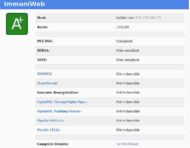
image of SSL certificate view

So. EFF uses a wildcard SSL cert issued by a company which was breached earlier this year.

who are you going to call

Monday, July 18th, 2011

Like most email users I get my fair share of spam and other internet crud. Mostly I ignore it, but I received an intriguing email a couple of days ago which purported to be a mailer daemon “Delivery Status Notification” informing me of a failed delivery to some address I had not even heard of. Mostly this sort of junk results from backscatter from mailers responding to spammers spoofing your email address in the outgoing mail. I get a lot of this to the “info@baldric.net” address as I’ve mentioned below.

However, this particular email interested me because the message-id in the headers said it came from a machine calling itself mx1.rlogin.net. Now I own and control that domain and I know that I have no such machine. So I concluded that the machine at the address in question (which looks to be at the end of a commercial cable line) was either deliberately being used incorrectly by its owner, or (much more likely) had been compromised and was being used illegally to send spam mail designed to look like it came from my domain. Either way, I’m not overly happy about that so I decided to contact the ISP and let them know that they might have a customer with a problem.

The normal way to do this is to send email to the “abuse@domain.name” address which is usually listed in the whois record for the network owner. There is even an RFC which codifies this practice. However, on searching a variety of whois records I couldn’t find any obvious address to use. Worse, speculative email to “abuse@the-likeliest-relevant-domain” was simply returned as undeliverable. What to do?

Well as it happens I found a very helpful utility called abuseEmail which automates searches of whois records for likely addresses. Better yet, some helpful people at cyberabuse.org give a web based front end to the abusEmail php script so that you don’t have to run your own.

critical security update to wordpress

Tuesday, January 4th, 2011

This blog comes to you courtesy of those excellent free open source authors who have contributed to wordpress. Unfortunately, in common with all software, wordpress inevitably has some bugs. Worse, some of the those bugs can occasionally be sufficiently bad as to make the software vulnerable to remote exploitation by ne’er do wells and other assorted bad guys.

On 29 December last, Matt Mullenweg posted a notice to the wordpress security blog announcing a very important update which he recommnded be applied as soon as possible because it fixes a “core security bug in [wordpress'] HTML sanitation library, KSES”. Mullenweg rated this [3.04] release as “critical.”

I have just updated my installation. I recommend you do the same.

phone home

Sunday, August 29th, 2010

Google’s chrome browser first appeared back in 2008, since when many commentators have sung its praises. Apparently it is “blindingly fast” (well, let’s face it firefox can be a tad slow, particularly if loaded down with a swathe of plugins) “clean”, and “simple”. Until recently I had not tried chrome (for some fairly obvious reasons) but I thought it might be interesting to fire up a copy in a VM just to see what all the fuss was about. So I did. And whilst I was doing that I ran tcpdump and etherape to see what was happening under the hood. What I found intrigued me.

First I spun up a completely new clean install of ubuntu in a virtualbox VM. Then I downloaded the latest chrome .deb from the google site and installed it. Before launching chrome for the first time in the guest system I fired up the sniffers in the host system. This is what I found:

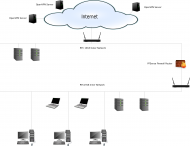
image of etherape capture

Note that etherape shows five connections which are instantly recognisable as going to google servers (the 1e100.net domain), three to verisign, and a further three to IP addresses with no associated names (these appear to be either youtube or google image cache machines – also owned by google of course). You can ignore the rlogin.net servers, they are all mine.

A quick look at the tcpdump record shows that the verisign connections all check for SSL certificates and/or revocations – perfectly sensible and understandable. But the google connections are less illuminating until you follow the tcp streams. Two of the connections are SSL encrypted so it is not possible to be certain what is carried in them, but they appear to be certificate exchanges (or updates), a third gets a certificate revocation list whilst two more get simple html or xml schema probably associated with building the welcome screen (I didn’t explore in detail). One connection gets a shockwave flash file and two get and set cookies in the youtube domain. At least one of the google connections also gets and sets cookies in the google domain.

Now none of this is inherently suspicious (well, alright, it might be) but the point is that all this happens upon first connection and without reference to the user. And if you don’t want google (or youtube) cookies on your machine you will have to delete them when first you use the browser. I have an instinctive (OK, partly irrational) dislike of software which “phones home” without telling me – and chrome does that on quite an impressive scale. I’m not sure what would happen in prolonged usage of the browser because I wasn’t impressed enough to want to use it in anger.

I’ve trashed the VM of course.