Or a spammer with a sense of humour.
I have very recently been hit by a spate of new spam asking me to sign up to save on a new mortgage, or change my car insurer or meet attractive asian ladies amongst other such enticements. They are all blocked now because, despite using different domain names, they (stupidly) all come from the same sending MTA, but I had to smile at one of the embedded URLs I was invited to click.
It looked like this:
hxxp://www.[obfuscated].com/buzzer-villainousness/[further-obfuscation]
I salute you, whoever you are.
Permanent link to this article: https://baldric.net/2021/04/05/villainous-spam/
This may be controversial.
Yesterday, a member of the Tor relays mailing list posted the following to the list:
“I’ve been running a relay/exit node for many years. Tor user since ~2004. To the extent that my voice means anything at all here, I would like to strongly condemn the Tor project joining the attempt to cancel Richard Stallman. Stallman represents software freedom to me generally and as of today I will be shutting down my exit node in protest of this action by the Tor Project.
I hope the rest of you out there, who depend every day on GNU project code which would not exist without RMS’s project, might consider joining me.”
Continue reading
Permanent link to this article: https://baldric.net/2021/03/26/stallman-and-tor/
Foreign Secretaries may come and go, but their inability to spot irony seems to be consistent. Back in February 2014 I commented on William Hague’s apparent concern about press restrictions in Egypt at a time when the Guardian newspaper in the UK was reporting on the threats of Legal Action they had received from the Government if they did not relinquish material leaked by Snowden and stop their reporting based upon that material.
Our current Foreign Secretary, Dominic Raab, has followed Hague’s example with his condemnation of the Chinese State’s repression of the Uighurs in an announcement to the House of Commons of the sanctions to be applied on Chinese Officials judged to be directly involved. In that announcement, Raab rightly said that:
“Evidence points to a highly disturbing programme of repression” and that the world “cannot simply look the other way” as “one of the worst human rights crises of our time” unfolds.
He went on to say:
“Expressions of religion have been criminalised, Uighur language and culture discriminated against on a systematic scale.
and
“There is widespread use of forced labour, women forcibly sterilised, children separated from their parents.”
Continue reading
Permanent link to this article: https://baldric.net/2021/03/23/irony-bypass/
Mark Pesce wrote a column in El Reg this week relating the story of how a friend of his had stumbled upon an example of the phenomenon noted by social media researcher Danah Boyd and Microsoft’s Michael Golebiewski as a “data void”. The particular void that Pesce’s friend had entered was around details of the accuracy of the polymerase chain reaction (PCR) test used for Covid 19. When searching for definitive, and authoritative, information about this test, Pesce says instead he got back a “tsunami of conspiracy and antivax propaganda.”
Pesce goes on to say:
That a data void exists on a topic as important as the accuracy of PCR tests highlights the weakness of algorithmic approaches to indexing the Web, something we’ve been doing in one form or another since DEC launched AltaVista twenty-six years ago.
Continue reading
Permanent link to this article: https://baldric.net/2021/02/12/filling-the-void/
I have written in the past about some of the persistent requests I get for guest posts or sponsored links on trivia. I suppose I should be flattered that some people seem to think that trivia has a wide enough readership to make that sort of thing attractive (to either party), but I’m not. As I have said, I don’t want such requests and it merely annoys me that the requestor hasn’t done their research before asking.
Most people give up after at most two or three emails (which I don’t answer) but in the past few weeks I have received four requests for a link to a site reviewing “spy” cameras – i.e. covert systems designed to spy on visitors to your home. This is beyond silly. Even a cursory read of trivia should have told the idiot asking for the link that I am a privacy advocate and that spy cameras are almost the antithesis of anything I would endorse.
I confess that I cracked and finally emailed in response pointing to the post she should have read.
It has gone quiet.
Permanent link to this article: https://baldric.net/2021/01/31/no-spy-cameras/
Shit – what a year. But let’s not go into all that.
I’m a little early with this post this year. I normally mark trivia’s birthday (Dec 26th) on the day itself. This year I may not actually wish to even leave the duvet on Boxing Day so I thought I’d take the opportunity today to post a picture of this year’s Christmas cake made by my beautiful lady wife for her boys. So here it is.

Enjoy – the boys will.
Permanent link to this article: https://baldric.net/2020/12/20/merry-christmas-2020/
My last post highlighted the astonishingly good deal I have just had from racknerd. I’ve been running VPS systems for some time now so I thought I would look back over my archived email to see what I could find about my earliest experiences.
I found an invoice for a system I first rented back in December 2008 (so twelve years ago). The spec was:
– 150MB RAM
– 10GB disc
– 50GB transfer per month
and it cost £172.50 for a year (which apparently got me a 15% discount for paying in advance).
So I have just paid 15 times less (in absolute terms, and ignoring inflation) for a VPS with:
– nearly 7 times the memory
– three times the disc capacity (and now on SSD, not spinning rust)
– and about 70 times the allowed network transfer.
Oh, and the CPU is faster too.
Permanent link to this article: https://baldric.net/2020/12/01/vps-comparison/
At about this time last year I wrote about my impressively cheap new VPS on ITLDC’s network in Prague. Prices of VPSs continue to come down and I now have several dotted around Europe which each cost me around three euros per month. But I am always on the lookout for a new provider and, of course, a new bargain.
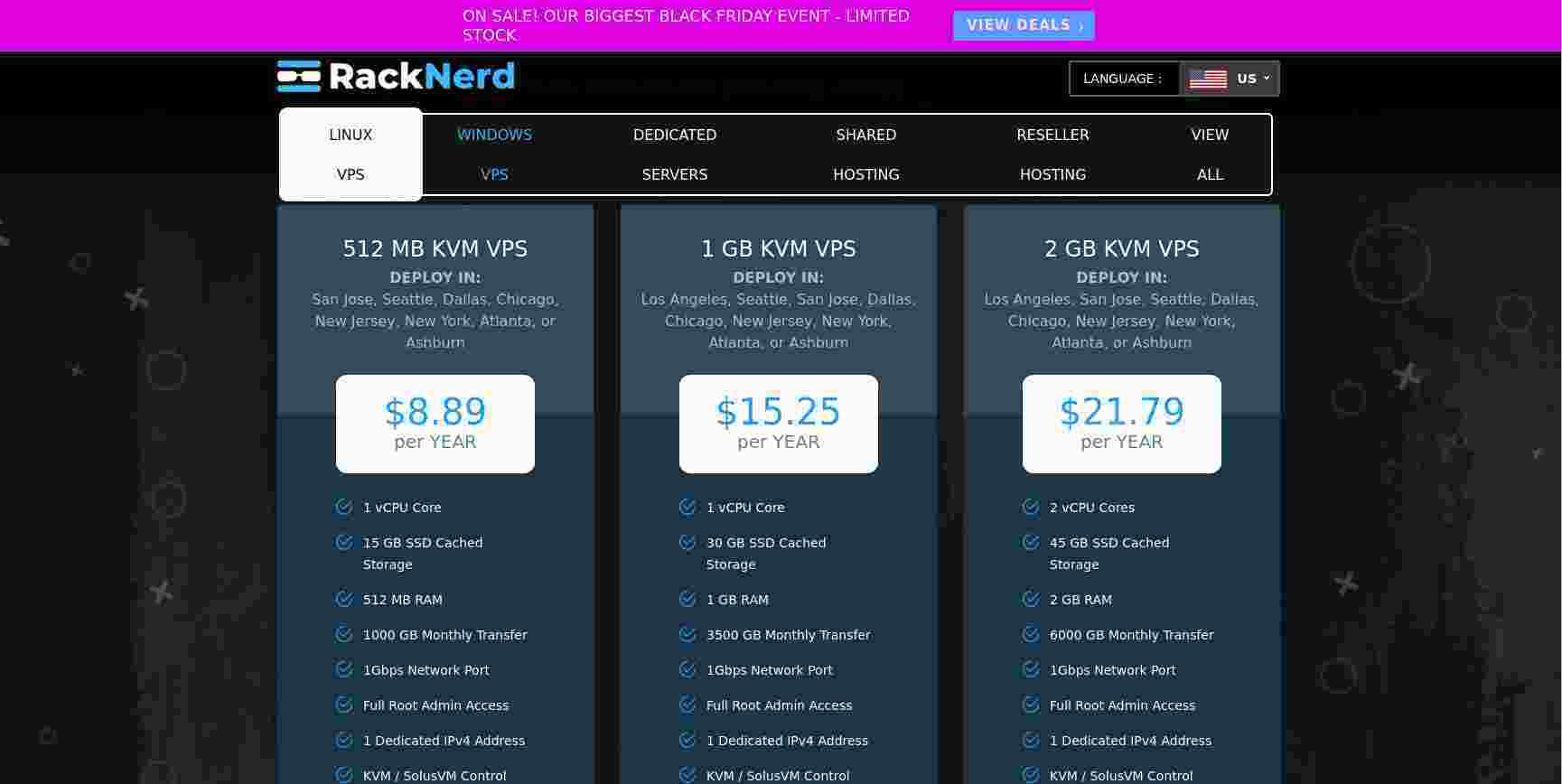
This year I found a reference on lowendtalk to a provider in the US called “racknerd” (cute name) which seems to be re-selling colocrossing servers. That provider was offering a “black friday” deal on servers in nine different data centres for silly money.
Continue reading
Permanent link to this article: https://baldric.net/2020/11/30/an-even-bigger-bargain-vps/
Just to prove that ‘bots really are stupid, my last post below has just been hit by a spam bot. And this is what whois has to say about the source address:
inetnum: 92.127.16.0 – 92.127.31.255
netname: WEBSTREAM
descr: OJSC “Sibirtelecom”
remarks: Kemerovo branch of the OJSC “Sibirtelecom”
remarks: broadband service
country: RU
remarks: Direct reference for the general info on spam
remarks: In unsoluble cases for the general info on spam,
remarks: abusing & hacking complaints email abuse@sinor.ru
remarks:
created: 2008-10-02T05:43:24Z
last-modified: 2008-10-02T05:43:24Z
source: RIPE # Filtered
role: NSOELSVZ admin-c role
address: JSC “Sibirtelecom”
address: 18, Ordjenikidze str.,
address: 630099, Novosibirsk, Russia
phone: +7 383 2 270669
fax-no: +7 383 2 270017
admin-c: YOL1-RIPE
admin-c: VIK15-RIPE
tech-c: YOL1-RIPE
tech-c: VIK15-RIPE
nic-hdl: NSOE11-RIPE
mnt-by: NSOELSV-NCC
created: 2005-03-29T04:58:27Z
last-modified: 2008-09-08T05:37:10Z
source: RIPE # Filtered
Way to go Sibirtelecom.
Permanent link to this article: https://baldric.net/2020/11/18/from-russia-with-malintent/
I am very careful about how, or even if, I allow comments on trivia. For example I disallow all comments on any post after a set period of time, I also refuse all comments until I have had time to read and thus moderate them. This cuts down on the type of rubbish often seen on blogs of the form:
“I read this and it was very useful to me. I have bookmarked your page and will come back later.”
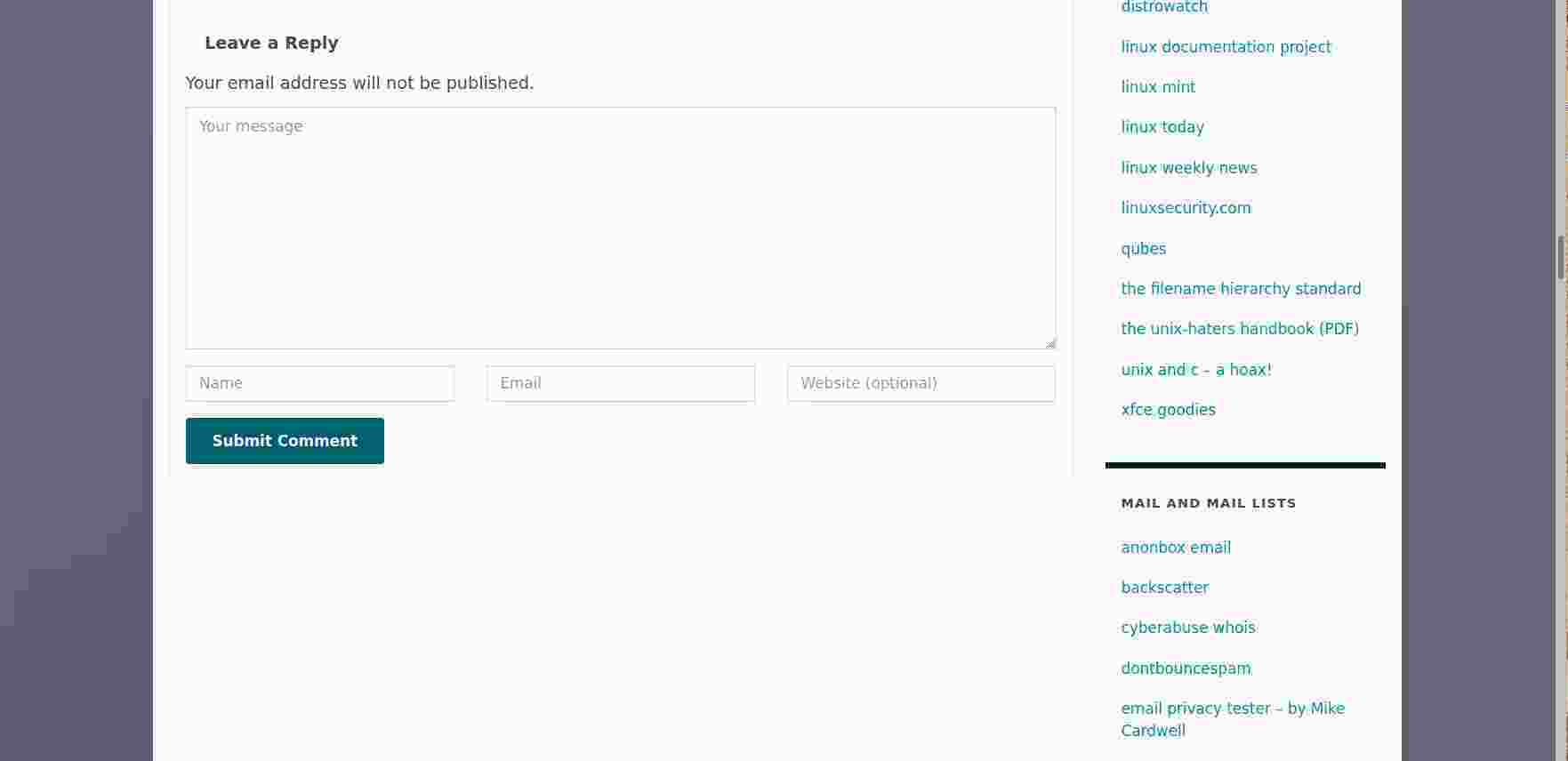
Now whilst this may, in and of itself, appear fairly innocuous, it says nothing, and adds nothing, to the post. But the poster (usually a ‘bot) doesn’t care about this, they are only interested in getting their URL (which is almost guaranteed to be a site you should certainly not visit) posted to the blog along with the comment. Next time you view a blog post (including this one) take a look at the comment section. If you press the “Leave comment” button you will be presented with a form like this:
Continue reading
Permanent link to this article: https://baldric.net/2020/11/15/comment-spam-irony/
Back in early 2019, I wrote about a problem I was having with mail from my system going to BT based accounts. At the time, BT was rejecting my mail as potential spam. As I wrote at the time, I was pleasantly surprised when the BT postmaster replied positively to my request that they investigate the problem. Even better, after investigation they acknowledged that the problem lay at their end and they then fixed it.
I am now having a problem with mail to an ntlworld address (@ntlworld.com), part of the virginmedia empire. But this time I have no possibility of getting their postmaster to do anything. Why? Because mail to their postmaster is also refused.
I first noticed the problem only a month or two ago. Here again, email from me to that same group of friends I wrote about in the BT scenario was being refused to one member of the group. That member has an ntlworld account, and has had for as long as he has been on the mailing list, so they must have changed their mail receipt policy recently. The ntlworld system now refuses all mail from my mailserver. The mail is apparently refused because they believe my mail server is not trustworthy.
Continue reading
Permanent link to this article: https://baldric.net/2020/10/27/braindead-mail-service/
We here in England must now limit our social interaction to the “rule of six”. Our dear, delusional, demented, certifiable, mendacious, law breaking Prime Minister says that I cannot meet in my home with more than six people – despite the fact that I can go to the Gym, or a Supermarket, or a Pub, or a Restaurant which will be inside, and with more than six people present.
Well, guess what, my grandchildren come to dinner with my wife and I and visit fairly regularly. They love their Nana. Together with their parents that makes seven people in my home.
So, I tell you now Prime Minister, I fully intend to break the law in a very “specific and limited way” (TM).
Permanent link to this article: https://baldric.net/2020/09/11/laws-are-made-to-be-broken/
My previous two posts discussed the need for encrypted DNS and then how to do it on a linux desktop. I do not have any Microsoft systems so I have no idea how to approach the problem if you use any form of Windows OS, nor do I have any Apple devices so I can’t provide advice for iOS either, but I do use Android devices. All my mobile phones for some time have been re-flashed to run a version of Android’s OS software. My current mobile (and two previous ones) run lineageOS, earlier phones used the (now discontinued) cyanogenmod ROM. I dislike google’s cavalier approach to user privacy, but I do like the flexibility and usability provided by modern smartphones. Apple devices strike me as hugely overpriced and I have never been convinced by the “oooh shiny” adoration shown by some of Apple’s hardened admirers. But each to their own.
Continue reading
Permanent link to this article: https://baldric.net/2020/06/06/encrypting-dns-on-android/
In my last post I explained that in order to better protect my privacy I wanted to move all my DNS requests from the existing system of clear text requests to one of encrypted requests. My existing system forwarded DNS requests from my internal dnsmasq caching servers to one of my (four) unbound resolvers and thence onward from them to the root or other authoritative servers. Whilst most of my requests would be shielded from prying eyes by my use of openVPN tunnels, unfortunately, this still left my requests to upstream servers from my unbound resolvers subject to snooping. I don’t like that and the opportunity to encrypt my requests using the new standard DNS over TLS (DoT) looked attractive.
This post describes how I made that change.
Continue reading
Permanent link to this article: https://baldric.net/2020/05/25/encrypting-dns-with-dnsmasq-and-stubby/
Any casual reader of trivia will be aware that I care about my privacy and that I go to some lengths to maintain that privacy in the face of concerted attempts by ISPs, corporations, government agencies and others to subvert it. In particular I use personally managed OpenVPN servers at various locations to tunnel my network activity and thus mask it from my ISP’s surveillance. I also use Tor (over those same VPNs), I use XMPP (and latterly Signal) for my messaging and my mobile ‘phone is resolutely non-google because I use lineageos‘ version of android (though that still has holes – it is difficult to be completely free of google if you use an OS developed by them). Unfortunately my email is still largely unprotected, but I treat that medium as if it were correspondence by postcard and simply accept the risks inherent in its use. I like encryption, and I particularly like strong encryption which offers forward secrecy (as is provided by TLS, and unlike that offered by PGP) and will therefore use encryption wherever possible to protect my own and my family member’s usage of the ‘net.
Continue reading
Permanent link to this article: https://baldric.net/2020/05/06/encrypting-dns/
Since my previous post below, I have been reading up on Zoom as a company, its staffing and its worrying security (or rather lack of) track record. When I wrote the initial post I said that “Zoom is a US company funded almost entirely by venture capital. Its servers are US based.”. It appears that is not entirely accurate. Indeed, it would appear that some of its servers are actually based in China, furthermore, a large number of its development staff are Chinese nationals, also based in China. And the CEO, Eric S Yuan grew up in China. On a Zoom blog post dated 26 February of this year Yuan wrote:
“I grew up in the eastern Shandong Province of China and studied at the Shandong University of Science & Technology. It’s a place I still hold dear. I am continuously inspired by the courageous efforts of those treating patients in China and around the world — working hard to try to further prevent the spread of the virus.”
Continue reading
Permanent link to this article: https://baldric.net/2020/04/10/zooming-in-on-china/
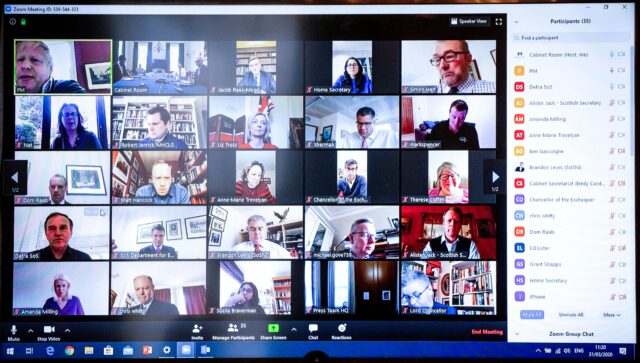
On Tuesday of this week, Boris Johnson tweeted a picture of what he called the UK’s “first ever digital Cabinet”. That picture (copy below) shows that the Cabinet meeting was held using Zoom – the sort of video conferencing software which is currently popular with business users forced to work at home during the Covid19 pandemic.
Continue reading
Permanent link to this article: https://baldric.net/2020/04/03/zooming-in-on-cabinet/
Tom Scott is a young educational entertainer who publishes fairly regularly on youtube. Back in mid 2004, whilst still a linguistics student at York, he managed to upset both the Home Office and the Cabinet Office by publishing a Department of Vague Paranoia website spoofing the rather po faced official “Preparing for Emergencies” site. Tom’s website is still in operation – unlike the official one. I guess Tom never aspired to a career in the Civil Service.
Continue reading
Permanent link to this article: https://baldric.net/2020/03/11/beware-the-zombie-apocalypse/
Well, I don’t think so. But for a while I was not entirely sure.
Following the move last November of trivia from a VM on UK2’s datacentre in London to our new home on a faster VM on ITLDC’s network I have been making a variety of minor changes and doing some essential housework. One of the biggest changes of course (fortunately for me as it turns out) was the complete separation of my two main services (mail and web) onto different VMs in different countries. My mailserver is now housed in Nuremburg where I have made some additional changes (for example I now run opendkim on it). This VM in Prague now houses just my webserver and of course is home to this blog.
Continue reading
Permanent link to this article: https://baldric.net/2020/02/27/have-i-been-pwned/
My move of trivia to a new VM last December prompted me to look again at my server configuration. In particular I wanted to ensure that I was properly redirecting all HTTP requests to HTTPS and that the ciphers and protocols I support are as up to date and strong as possible. Mozilla offers a very good security reference site which should be your first port of call if you care about server side security. The “cheat sheet” on that site gives pointers to existing good practice guidelines for most of the configuration options you should care about on a modern website. I have implemented as many of these as is possible on trivia – but I am hampered slightly by the fact that I still use WordPress as my blogging platform. WordPress (and its myriad plugins) still does lots of things I don’t actually like (such as setting cookies I can’t control, loading google fonts etc.) but I’m stuck with that unless I change platform (which I might).
Continue reading
Permanent link to this article: https://baldric.net/2020/01/22/tls-certificate-checks/
For the past four years or so I have been receiving increasingly frequent requests for either guest posts, or links to external sites (or sometimes both). The requests have increased in number ever since I started posting about my use of OpenVPN. Many of these requests want me to point to their commercial VPN site. The requests all look something like this:
Hi.
My name is Foo. I represent Bar. I found your blog on google and read your article on “X”. I think your readers will like our discussion about “X” on our site. Would you be willing to host a guest post by us, or one of our affiliates, promoting the use of “Y”? It would also be really good if you could link to our site from your article.
We are really flexible, so we could totally negotiate about special deals.
Continue reading
Permanent link to this article: https://baldric.net/2020/01/14/do-not-ask-me-for-guest-posts-or-links/
I first started using Linksys NSLU2s (aka “slugs”) in early 2008. Back then I considered them quite useful and I even ran webservers and local apt-caches on them. But realistically they are (and even then, were) a tad underpowered. Worse, since Debian on the XScale-IXP42x hasn’t been updated for several years, the slugs are probably vulnerable to several exploits. The latest version of Debian available for the slugs is probably that which I have running (“uname -a” shows “Linux slug 3.2.0-6-ixp4xx #1 Debian 3.2.102-1 armv5tel”).
Continue reading
Permanent link to this article: https://baldric.net/2020/01/14/retiring-the-slugs/
As of today we are now fully functional in our new home in a datacentre in Prague. We also have a new letsencypt certificate. If you see any problems, let me know at the usual email address.
Enjoy
Permanent link to this article: https://baldric.net/2019/12/05/welcome-to-prague/
I have been using services from ITLDC for about three years now. I initially picked one of their cheap VMs based in the Netherlands whilst I was expanding my VPN usage, and frankly, I was not expecting much in the way of customer service or assistance for the very low price I paid. After all I thought, you can’t expect much for under 3 euros a month. But I was pleasantly surprised to find that not only was the actual service pretty rock solid, but so was the help I received on the one or two occasions I had a problem. In fact I have never had to wait more than a few minutes for a response to a ticket. That is exceptional in my experience. For the last year or more, I have been using one of their VMs as an unbound DNS server and VPN endpoint.
So when I was considering a new VM I was very pleasantly surprised to note that ITLDC were offering a huge discount on new servers as part of a “black friday” promotion. I have now paid for a new debian server, based in Prague. That VM is one of their 2 Gig SSD offerings (2 Gb RAM, dual core, 15 Gb disk and unlimited traffic). Even at their normal undiscounted rate that would only have cost me 65.99 euros for a year. I paid the princely sum of 26.39 euros – a 60% discount.
Absolutely astounding value for money. Go get one before the offer runs out.
Permanent link to this article: https://baldric.net/2019/11/28/a-bargain-vps/