Archive for May, 2008

linuxdoc.org hijacked

Monday, May 26th, 2008

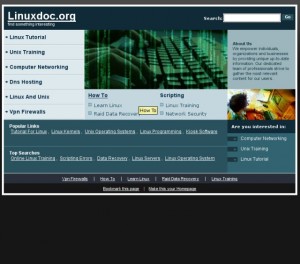
Sadly it appears that the once useful linuxdoc.org website has been hijacked by one of those awful domain squatters who seem to want to sell mortgages, holidays and houses. I tried today to check out an old “howto” I had bookmarked and was greeted by a completely new site – as below:

linuxdoc.org hijacked

At first I thought that they had simply redesigned the site because most of the links appeared to be in place. Unfortunately, none of the old LDP documents appear to be there. I also noticed that all the links are referred to a new site on www.kolmic.com. So, none of my old linuxdoc bookmarks are any use now. RIP friend.

Fortunately, however, the original and best TLDP site is still up and running as is the (similarly named) linuxdocs.org site. So, update your bookmarks and stay away from the hijacker. Such a shame that so many printed references in places like the O’Reilly books are no longer valid.

what it is to be popular

Friday, May 16th, 2008

According to some dubious stats from a web company, this site now ranks at number 4,880,077 (on a scale of usage where Yahoo, Google and YouTube are apparently first second and third). But I shouldn’t really complain. The same stats say that the position is “up 16,958,547 ranks over the last three months”.

Now that is some rise.

slugs aren’t really slow

Monday, May 5th, 2008

A recent email exchange with the friend who originally suggested that I take a look at the NSLU2 got me thinking about the machines we currently take for granted. In his email he outlined that he had consolidated a set of services previously run on a couple of old desktops (a Dell and a Shuttle) onto his slug – thereby making a big saving in power consumption. His slug now runs ssh, DNS, IMAP and SMTP mail and a couple of other services – a typical slug user’s profile. The phrase that got me thinking however, was his statement that “I’m quite amazed that it can do all this within 32MB memory”.

Now, not so long ago, 32 Meg of RAM was considered quite a lot. We seem to have become so used to desktop home machines equipped with multi GHz CPUs, 2 or 3 Gig of RAM and anywhere from 160 Gig to three quarters of a terabyte of disk that we are surprised that an apparently humble 266 MHz, 32 Mb RAM machine can do so much. But why? As recently as 10 years ago I was running a large public facing network on which the main DNS/mail and syslog server was a single processor Sun SPARC5 with only 32Mb of RAM. And I recall only 15 years ago (OK, so I’m old) running a network of ICL DRS 6000s providing full office system functions to over 1200 users. So I dug out the specs of the machines I was running at that time for comparison. It made interesting reading.

The smallest (in capacity terms) machine on my network 15 years ago was a DRS6000 L440 – which had a single 40 MHz CPU, 32 Mb of RAM and 2 x 660 Mb disks. That machine served 30 users. I also had a mixture of DRS6000s with older 25Mhz and 33MHz CPUs but with more RAM and disk store (typically 96 Mb and 4 x 660 Mb disks) each of those would support around a hundred users (the office application was memory not CPU dependent). The really interesting point is the pricing. I found a note with the following on it:

Item — Price (UKP)

DRS6000 L440 40MHz CPU — £15,000
(inc. 1 * 660 Mb disk)

64 Mb memory board — £11,000

32 Mb memory board — £6.550

SCSI daughter board — £800
(to support additional disks)

3 * 660 MB disks — £8,850

16 port asynch controller board — £1,500

ethernet LAN controller board — £2,660

external exabyte tape drive — £4,000

console and keyboard — £500

sundry cables — £200

hardware sub-total — £51,060

to which I had to add:

128 user licence for Unix 6, TCP and OSLAN — £11,000

(Thankfully, we had a site licence for the application software…)

So, for just over £62,000 I had a 40 MHz machine with 96Mb of RAM and 2.6 Gig of disk. Not bad.

Oh, I forgot VAT.

a problem slug

Sunday, May 4th, 2008

I bought myself another slug recently so that I could have one dedicated to internal work and the other used for public facing webs. I wasn’t really comfortable with having my network backup and apt-get mirror on the same beast as a public web. I know from experience that public facing systems are vulnerable and I have to assume that my webcam slug is disposable.

However, it seems that I picked exactly the wrong time to build a new slug because I fell foul of a previously undocumented bug in the new initramfs-tools (version 0.92) in Debian testing. This version generated a ramdisk that made the slug unbootable. This bug was particularly irritating because it only manifested itself at the end of the complete Debian install – i.e at the point when the installer had flashed the new initramfs and rebooted. Because I had been so successful with the earlier slug only weeks before, I thought at first that either I had made a mistake, or, worse, I had bought a problem slug which I could not return having voided the warranty. So I wasted some more time reflashing first with unslung and later with the original Linksys image – just to satify myself that I had a working beast. Then I checked the debian-arm mailing list. A couple of other users reported similar problems and the cuplprit – initramfs-tools – was quickly identified and rapidly fixed (see bug #478236).

When researching the problem, I picked up a useful tip from the mail list on a quick way of backing up a working slug image which is not documented in the how-to section of the slug website. This tip enabled me to take a copy of the image from the known good working slug and flash it to the non-working new slug at the end of (yet another) complete Debian install.

On a working system, do “cat /dev/mtdblock* > backup.img”, and copy that backup image off to a safe place. Use that image with upslug2 to flash to a non-working (or corrupted) slug thus: “upslug2 -i backup.img”.

The problem I encountered is now fixed with the release of 0.92a of initramfs-tools which is now in the Lenny tree.