Well, I have cast my vote. Let’s hope we get the result we need.
Archive for May, 2010
this is a politics free zone
Thursday, May 6th, 2010email address images
Monday, May 3rd, 2010Adding valid email addresses to web sites is almost always a bad idea these days. Automated ‘bots routinely scan web servers and harvest email addresses for sale to spammers and scammers. And in some cases, email addresses harvested from commercial web sites can be used in targetted social engineering attacks. So, posting your email address to a website in a way which is useful to human being, but not to a ‘bot has to be a “good thing” (TM). One way of doing so is to use an image of an address rather than text itself. Of course this has the disadvantage that the address will not be immediately usable by client email software (unless, of course you defeat the object of the exercise by adding an html “mailto” tag to the image) but it should be no big deal for someone who wants to contact you to write the address down.
There are a number of web sites which offer a (free) service which allows you to plug in an email address and then download an image generated from that address. However, I can’t get over the suspicion that this would be an ideal way to actually harvest valid email addresses, moreover addresses which you could be pretty certain the users did not want exposed to spammers. Call me paranoid, but I prefer to control my own privacy.
There are also a number of web sites (and blog entries) describing how to use netpbm tools to create an image from text – one of the better ones (despite its idiosyncratic look) is at robsworld. But in fact it is pretty easy to do this in gimp. Take a look at the address below:
This was created as follows:
open gimp and create a new file with a 640×480 template (actually any template will do);
select the text tool and choose a suitable font size, colour etc;
enter the text of the address in the new file;
select image -> autocrop image;
select layer -> Transparency -> Colour to Alpha;
select from white (the background colour) to alpha;
select save-as and use the file extension .png – you will be prompted to export as png.
Now add the image to your web site.
ubuntu 10.04 – minor, and some not so minor, irritations
Sunday, May 2nd, 2010If and when the teething problems in 10.04 are fixed and the distro looks stable enough to supplant my current preferred version, I will be faced with one or two usability issues. In this version, canonical have taken some design decisions which seem to have some of the fanbois frothing at the mouth. The most obvious change in the new “light” theme applied is the move of the window control buttons from the top right to the top left (a la Mac OSX). Personally I don’t find this a problem, but it seems to have started all sorts of religious wars and has apparently even resulted in Mark Shuttleworth being branded as a despot because he had the temerity to suggest that the ubuntu community was not a democracy. Design decisions are taken by the build team, not by polling the views of the great unwashed. In my view that is how it should be. The great beauty of the free software movement is the flexiibility and freedom it gives its users to change anything they don’t like. Hell, you can even build your own linux distro if you don’t like any of the (multiple) offerings available. Complaining about a design decision in one distro simply means that the complainant hasn’t understood the design process, and further, probably doesn’t understand that if he or she doesn’t like it, then they are perfectly free to change that decision on their own implementation.
In fact, it is pretty easy to change the button layout. To do so, simply run “gconf-editor” then select apps -> metacity -> general from the left hand menu. Now highlight the button_layout attribute and change the entry as follows:
change
close,minimize,maximize:
to
:minimize,maximize,close
i.e. move the colon from the right hand end of the line to the left and relocate the close button to the outside. Bingo, your buttons are now back where god ordained they should be and all is right in the universe.
Presentation issues aside, there are some more fundamental design issues which are indicative of a worrying trend. As I noted in the post below, it is now pretty easy to install restricted codecs as and when they are needed. Rhythmbox will happily pull in the codecs needed to play MP3 encoded music with only a minor acknowledgement that the codecs have been deliberately omitted from the shipped distribution for a reason – the format is closed and patent encumbered. Most users won’t care about the implications here, but I think it is only right that they should know the implications of using a closed format before accepting it. It is also worth bearing in mind that some software (including that necessary to watch commercial DVDs) is deliberately not shipped because the legal implications of doing so are problematic in many countries.
So, whilst from a usability perspective, I may applaud the decisions which have made it easy for the less technically savvy users to get their multimedia installations up and running with minimal difficulty, I find myself more than a little unhappy with the implications.
But it gets worse. Enter ubuntu one.
Ubuntu one attempts to do for ubuntu what iTunes does for Apple (but without the DRM one hopes….). The new service is integrated with rhythmbox and allows users to search for and then pay for music on-line. The big problem here is that the music is all encoded in MP3 format when ubuntu, as a champion of free software, could have chosen the (technically superior) patent free ogg vorbis format. The choice smacks of business “realpolitick” in a way that I find disappointing from a company like Canonical. Compare and contrast this approach with the strictly free and open stance taken by Debian and you have to wonder where Canonical is going.
Watch this space. If they introduce DRM in any form there will be an unholy row.
ubuntu 10.04 problems
Sunday, May 2nd, 2010The lastest LTS version of ubuntu (10.04, or lucid lynx according to your naming preferences) was released to an eagerly waiting public on 29 April. Long term support (LTS) versions are supported for three years on the desktop and five years on the server instead of the usual 18 months for the normal releases. My current desktop of choice is 8.04 (the previous LTS version) and I will probably move to 10.04 eventually. But not yet.
A wet and windy bank holiday weekend (as this is) meant that my plans to go fishing were put on hold so I downloaded the 10.04 .isos to play with. I grabbed three versions, the 32 and 64 bit desktops and the netbook-remix version. Given that this was a mere day after the release date, I expected a slow response from the mirrors, but I was pleasantly surprised by the download speeds I obtained. Canonical must have put a lot of effort into getting a good range of fast mirrors. The longest download took just over 22 minutes and the fastest came down in just 14 minutes.
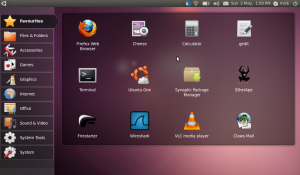
I copied the netbook-remix .iso to a USB stick using unetbootin on my 8.04 desktop (later versions of ubuntu ship with a usb startup disk creator) and installed to my AAO netbook with no hitches whatever. The new theme ditches the bright orange (or worse, brown) colour scheme used in earlier versions of ubuntu and looks attractive and professional.
I spent a short while adding some of my preferred tools and applications and configuring the new installation to handle my multimedia requirements, but all this is now remarkably easy. Even playback of restricted formats (MP3 or AAC audio for example) is eased by the fact that totem (or rhythmbox) will fetch the required codecs for you when first you attempt to play a file which needs them. So, pleasant and easy to use. But I /still/ can’t get sony memory sticks to work.
But the netbook is simply a (mobile) toy. I do not rely upon it as I do my desktop. Any data on the netbook is ephemeral and (usually) a copy of the same data held elsewhere, either on a server in the case of email, or my main desktop. It would not matter if my installation had trashed the netbook, but my desktop is far more important. It has taken me a long time to get that environment working exactly the way I want it, and there is no way I will update it without a lot of testing first.
I am lucky enough to have a plenty of spare kit around to play with though and I normally test any distro I like the look of in a virtual machine on an old 3.4 GHz dual core pentium 4 I have. Until this weekend, that box was running a 64 bit installation of ubuntu 9.04 with virtualbox installed for testing purposes. Running a new distro in a virtual machine is normally good enough to give me a feel for whether I would be happy using that distro long term – but it does have some limitations and I really wanted to test 10.04 with full access to the underlying hardware so I decided to wipe the test box and install the 64 bit download. If it worked I could then re-install virtualbox and use the new base system as my test rig in future. If it failed, then all I have lost is some time on a wet weekend. It failed.
To be fair, the installation actually worked pretty well. My problems arose when I started testing my multimedia requirements. I installed all the necessary codecs and libraries (along with libdecss, mencoder, vlc, flash plugins etc, etc) to allow me to waste time watching youtube, MP4 videos and DVDs only to discover that neither of the DVD/CD devices in my test box were recognised. I could not mount any optical medium. This is a big problem for me because I encode my DVDs to MP4 format so that I can watch them on my PSP on the train. Thinking that there might be a problem with the automounter, I tried manually mounting the devices – no go, mount failed consistently because it could not find any media. I could not find any useful messages in any of the logs so I checked the ubuntu forums to see if others were having any similar problems. Yep – I’m not alone. This is a common problem. But it seems that I’m pretty lucky not to have seen a lot more problems (black, or purple, screen of death seems to be a major complaint). I think I’ll wait a month or so before trying again.
Meanwhile, I guess I can always ask for my money back.