Category: privacy and anonymity
In October last year I posted about my email phishing attack against a group of my friends (at least, I think they are still my friends). That post was an attempt to describe some of the problems inherent in the way people trust the systems they use on a daily basis. People are naturally trusting, …
Continue reading
Permanent link to this article: https://baldric.net/2026/01/25/understand-your-customer/
This email just in from the tor project team. From: gus To: tor-relays@lists.torproject.org Subject: [tor-relays] Update: Tor relays source IPs spoofed to mass-scan port 22 Date: Thu, 7 Nov 2024 15:49:37 -0300 Hello everyone, I’m writing to share that the origin of the spoofed packets has been identified and successfully shut down today, thanks to …
Continue reading
Permanent link to this article: https://baldric.net/2024/11/07/spoof-source-identified/
And may even be malicious. I have been receiving “malicious activity” reports from my hosting ISP about my Tor node at “tor1.rlogin.net” since about the end of October. So far I have received five such reports. Each report takes the following form: We have received an abuse report from abuse@watchdogcyberdefense.com for your IP address 95.216.198.252. …
Continue reading
Permanent link to this article: https://baldric.net/2024/11/06/watchdogcyberdefense-com-are-complete-bozos/
I have just discovered, shamefully late, that Ross Anderson died at his Cambridge home at the end of last month. He was only 67. Anderson was Professor of Security Engineering at the Cambridge University’s Department of Computer Science and Technology. He had worked at the University since the early 1990s. Professor Anderson was famously rabidly …
Continue reading
Permanent link to this article: https://baldric.net/2024/04/30/ross-anderson/
Last month I posted an article about the press reports of chinese software and hardware “found” in cars and how that could lead to the cars being tracked by the chinese state (or other hostile agencies). I was therefore delighted to see the cartoon below in issue 1591 of Private eye. I am indebted to …
Continue reading
Permanent link to this article: https://baldric.net/2023/02/19/lost-car/
In my last post, an ex GCHQ staffer is quoted as saying: “If you’re stepping back a bit and saying what cars do park outside GCHQ or somewhere like Porton Down then you have the pool of information there if you ever need it.” which got me wondering about how secure existing protective measures around …
Continue reading
Permanent link to this article: https://baldric.net/2023/01/16/mobile-insecurity/
Some parts of the UK press have been reporting recently on the “discovery” of “hidden Chinese tracking devices” in a UK Government car (the original inews report is behind a paywall). The reports quote a “serving member of the British intelligence community” as telling the i newspaper: “It [the tracking SIM] gives the ability to survey …
Continue reading
Permanent link to this article: https://baldric.net/2023/01/16/brakes-as-a-service/
I recently came across this rather nice (spoof) NSA site describing the work of the Agency’s “Domestic Surveillance Directorate”. That Directorate supposedly exists to protect the citizen from the usual suspects (terrorists, paedophiles, criminals) and is tasked with data collection and analysis to support that end. The site says: “Our value is founded on a …
Continue reading
Permanent link to this article: https://baldric.net/2021/05/27/nothing-to-hide-nothing-to-fear/
I am posting this in the hope it may help others who find themselves in a similar position to myself. I have recently upgraded my mobile ‘phone (from a Motorola Moto X4) to a Moto G7 plus. I chose this particular phone because I like Motorolas. I like the fact that they are relatively cheap …
Continue reading
Permanent link to this article: https://baldric.net/2021/05/15/fastboot-oem-get_unlock_data-hangs-on-moto-g7-plus/
This may be controversial. Yesterday, a member of the Tor relays mailing list posted the following to the list: “I’ve been running a relay/exit node for many years. Tor user since ~2004. To the extent that my voice means anything at all here, I would like to strongly condemn the Tor project joining the attempt …
Continue reading
Permanent link to this article: https://baldric.net/2021/03/26/stallman-and-tor/
Foreign Secretaries may come and go, but their inability to spot irony seems to be consistent. Back in February 2014 I commented on William Hague’s apparent concern about press restrictions in Egypt at a time when the Guardian newspaper in the UK was reporting on the threats of Legal Action they had received from the …
Continue reading
Permanent link to this article: https://baldric.net/2021/03/23/irony-bypass/
My previous two posts discussed the need for encrypted DNS and then how to do it on a linux desktop. I do not have any Microsoft systems so I have no idea how to approach the problem if you use any form of Windows OS, nor do I have any Apple devices so I can’t …
Continue reading
Permanent link to this article: https://baldric.net/2020/06/06/encrypting-dns-on-android/
In my last post I explained that in order to better protect my privacy I wanted to move all my DNS requests from the existing system of clear text requests to one of encrypted requests. My existing system forwarded DNS requests from my internal dnsmasq caching servers to one of my (four) unbound resolvers and …
Continue reading
Permanent link to this article: https://baldric.net/2020/05/25/encrypting-dns-with-dnsmasq-and-stubby/
Any casual reader of trivia will be aware that I care about my privacy and that I go to some lengths to maintain that privacy in the face of concerted attempts by ISPs, corporations, government agencies and others to subvert it. In particular I use personally managed OpenVPN servers at various locations to tunnel my …
Continue reading
Permanent link to this article: https://baldric.net/2020/05/06/encrypting-dns/
Since my previous post below, I have been reading up on Zoom as a company, its staffing and its worrying security (or rather lack of) track record. When I wrote the initial post I said that “Zoom is a US company funded almost entirely by venture capital. Its servers are US based.”. It appears that …
Continue reading
Permanent link to this article: https://baldric.net/2020/04/10/zooming-in-on-china/
On Tuesday of this week, Boris Johnson tweeted a picture of what he called the UK’s “first ever digital Cabinet”. That picture (copy below) shows that the Cabinet meeting was held using Zoom – the sort of video conferencing software which is currently popular with business users forced to work at home during the Covid19 …
Continue reading
Permanent link to this article: https://baldric.net/2020/04/03/zooming-in-on-cabinet/
Tom Scott is a young educational entertainer who publishes fairly regularly on youtube. Back in mid 2004, whilst still a linguistics student at York, he managed to upset both the Home Office and the Cabinet Office by publishing a Department of Vague Paranoia website spoofing the rather po faced official “Preparing for Emergencies” site. Tom’s …
Continue reading
Permanent link to this article: https://baldric.net/2020/03/11/beware-the-zombie-apocalypse/
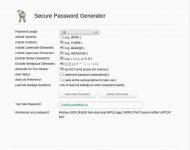
A recent exchange of email with an old friend gave me cause to revisit on-line password/passphrase generators. I cannot for the life of me imagine why anyone would actually use such a thing, but there are a surprisingly large number out there. On the upside, most of these now seem to use TLS encrypted connections …
Continue reading
Permanent link to this article: https://baldric.net/2019/07/15/more-password-stupidity/
At the tail end of last year, Crispin Robinson and Ian Levy of GCHQ published a co-authored essay on “suggested” ways around the “going dark problem” that strong encryption in messaging poses Agencies such as GCHQ and its (foreign) National equivalents. In that essay, the authors were at pains to state that they were not …
Continue reading
Permanent link to this article: https://baldric.net/2019/07/10/add-my-name-to-the-list/
In my 2017 article on using OpenVPN on a SOHO router I said: “In testing, I’ve found that using a standard OpenVPN setup (using UDP as the transport) has only a negligible impact on my network usage – certainly much less than using Tor.” That was true back then but is unfortunately not so true …
Continue reading
Permanent link to this article: https://baldric.net/2019/07/07/openvpn-clients-on-pfsense/
I have written about my use of OpenVPN in several posts in the past, most latterly in May 2017 in my note about the Investigatory Powers (IP) Bill. In that post I noted that all the major ISPs would be expected to log all their customers’ internet connectivity and to retain such logs for so …
Continue reading
Permanent link to this article: https://baldric.net/2019/06/26/one-unbound-and-you-are-free/
Back in June 2015 I decided to force all connections to trivia over TLS rather than allow plain unencrypted connections. I decided to do this for the obvious reason that it was (and still is) a “good thing” (TM). In my view, all transactions over the ‘net should be encrypted, preferably using strong cyphers offering …
Continue reading
Permanent link to this article: https://baldric.net/2018/07/07/re-encrypting-trivia/
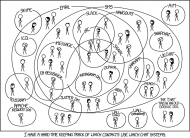
I use email fairly extensively for my public communication but I use XMPP (with suitable end-to-end encryption) for my private, personal communication. And I use my own XMPP server to facilitate this. But as I have mentioned in previous posts my family and many of my friends insist on using proprietary variants of this open …
Continue reading
Permanent link to this article: https://baldric.net/2017/10/14/multilingual-chat/
Dear Amber So,”real people” don’t care about privacy? All they really want is ease of use and a pretty GUI so that they can chat to all their friends on-line? Only “the enemy” (who is that exactly anyway?) needs encryption? Excuse me for asking, but what have you been smoking? Does the Home Office know …
Continue reading
Permanent link to this article: https://baldric.net/2017/08/02/a-letter-to-our-dear-home-secretary/