Archive for the ‘security’ Category

tor server compromise

Friday, January 22nd, 2010

According to this post by Roger Dingledine, two tor directory servers were compromised recently. In that post Dingledine said:

In early January we discovered that two of the seven directory authorities were compromised (moria1 and gabelmoo), along with metrics.torproject.org, a new server we’d recently set up to serve metrics data and graphs. The three servers have since been reinstalled with service migrated to other servers.

Whilst the direrctory servers apparently also hosted the tor project’s svn and git source code repositories, Dingledine is confident that the source code has not been tampered with – and nor has there been any possible compromise of user anonymity. Neverthless, the project recommends that tor users and operators upgrade to the latest version. Good advice I’d say – I’ve just upgraded mine.

using scroogle

Saturday, January 2nd, 2010

For completeness, my post below should have pointed to the scroogle search engine which purportedly allows you to search google without google being able to profile you. Neat idea if you must use google (why?) but it still fails the Hal Roberts test of what to do if the intermediate search engine is prepared to sell your data. I actually quite like the scroogle proxy though, particularly in its ssl version because anything that upsets google profiling has to be a good thing. Besides, the really paranoid can simply connect to scroogle via tor.

(Odd that google seem not to have tried to grab the scroogle domain name. If they do, let’s just hope that they get the groovle answer.)

where has my money gone?

Thursday, October 15th, 2009

Like most ‘net users I know these days, I conduct most of my financial transactions on-line. But on-line banking is a high risk activity, particularly if you use the “default” OS and browser combination to be found on most PCs. I don’t, but that doesn’t make me invulnerable, just a slightly harder target. So attempts by the banks to make it harder for the bad guys to filch my money are welcome. Many banks seem to be taking the two factor authentication route by supplying their customers with a hardware token of some kind to be used in conjunction with the traditional UID/password.

I have just logged on to my bank to be greeted with a message that they will shortly be introducing a one-time password system. Apparently this system requires me to register my mobile phone number with the bank. Thereafter, for certain “high risk” transactions (such as setting up a new payment to an external account) in addition to requiring my normal UID/password, the bank will send a one-time password to my moblle which I will have to play back to the bank via the web site before the transaction will be authorised. Sounds reasonable? Maybe. Maybe not. I can see some flaws – not least the obvious one that I have to have a mobile phone (probably not an unreasonable assumption) and that I have to be prepared to register that with the bank (slightly less reasonable). But my biggest concern is that this approach fails to take account of the fact that “people do dumb things” (TM).

The bank’s FAQ about the new system says: “We have decided to use your mobile phone for extra security so there is no need to carry around a card reader to use e-banking. This also provides extra security as it is unlikely a fraudster will be able to capture both your internet log on credentials as well as your mobile phone.”

I have a problem with that assumption. I know a lot of otherwise very smart people who use their “smart” phones as a central repository of a huge amount of difficult to remember personal information. These days it is very rare for anyone to actually even remember a friend’s ‘phone number. Why bother – just scroll down to “john at work” and press call. These same people store names, addresses, birthday reminders, and yes, passwords for the umpteen web services they use, on the same device. That ‘phone may even be used to log on to the website that requires the password. Indeed, it is entirely plausible that many people will use their ‘phone to log on to their bank when out and about simply to make exactly the kind of transaction my bank deems “high risk” , i.e. to transfer funds from one acccount to another so that they can make a cash withdrawal from an ATM without incurring charges.

“it is unlikely a fraudster will be able to capture both your internet log on credentials as well as your mobile phone.”

How many mobiles are lost or stolen every day?

wordpress security

Sunday, September 20th, 2009

At about the time I decided to move trivia to my own VPS, there was a lot of fuss about a new worm which was reportedly exploiting a vulnerability in all versions <= 2.8.3. Even the Grauniad carried some (rather inaccurate) breathless reporting about how the wordpress world was about to end and maybe we should all move to a rival product. Kevin Anderson said on the technology page of 9 September “.. the anxiety that this attack – one of a number in the past year against WordPress – has engendered may create enough concern for someone to spot the chance to create a rival product.”

Rubbish. Besides the fact that there are already several rivals to wordpress (blogger, typepad and livejournal in the hosted services domain alone, plus others such as textpattern if you wish to host your own) what Anderson apparently fails to realise is that all software contains bugs, and any software which is exposed to as hostile an environment as the internet is going to have problems. Live with it. Sure it would be good if we could find and fix all vulerabilities before they are exploited, but as far as I am aware, that hasn’t happened for any other piece of code more complex than “printf (“hello world\n);” (and even that could have problems). Why expect wordpress to be any different?

Amongst all the brouhaha I did find one site which offered some commentary and advice I could agree with, take a look at David Coveney’s “common sense” post of 6 September.

wordpress on lighttpd

Saturday, September 12th, 2009

I have commented in the past how I prefer lighttpd to apache, particularly on low powered machines such as the slug. I used to be a big apache fan, in fact I think I first used it at version 1.3.0 or maybe 1.3.1, having migrated from NCSA 1.5.1 (and before that Cern 3.0) back in the day when I ran web servers for a living. However, those days are long gone and my web server requirements are now limited to my home network and VPSs so I don’t need, nor do I want, the power of an industrial strength apache installation. In fact, my primary home web server platform (the slugs) struggles with a standard apache install. Lighttpd works very well on machines which are low on memory.

Having got used to lighttpd, it seemed a natural platform to use on my VPSs. And it performs very well on those machines for the kind of traffic I see. Moving trivia to my bytemark VPS meant that I had to take care of some minor configuration issues myself – most notably the form of permalinks I use. Most of the documentation about running your own wordpress blog assumes that you will be using apache (since that is the most popular web server software provided by shell account providers). For those of you who, like me, want to use lighttp instead, the configuration details from my vhosts config file are below. Lighttpd is remarkably easy to configure for both virtual hosting in general, and for wordpress in particular. Note that I also choose to restrict access to wp-admin to my home IP address, this helps to keep the bad guys out.

Extract of “conf-enabled/10-simple-vhost.conf” file:

# redirect www. to domain (assumes that “mod_redirect” is set in server.modules in lighttpd.conf)

$HTTP["host"] =~ “www.baldric.net” {
url.redirect = ( “.*” => “http://baldric.net”)
}

#
# config for the blog
#
$HTTP["host"] == “baldric.net” {
# turn off dir listing (you can do this globally of course, but I choose not to.)
server.dir-listing = “disable”
#
# do the rewrite for permalinks (it really is that simple)
#
server.error-handler-404 = “/index.php”
#
# reserve accesss to wp-admin directory and wp-login to our ip address
#
$HTTP["remoteip"] !~ “123.123.123.123″ {
$HTTP["url"] =~ “^/wp-admin/” {
url.access-deny =(“”)
}
$HTTP["url"] =~ “^/wp-login.php” {
url.access-deny =(“”)
}
}

}

# end

Enjoy.

wordpress woes

Wednesday, August 26th, 2009

As is common with many blogs, my public ramblings on this site are made possible through the ease of use and flexibility of the mysql/php based software known as wordpress.. And again, as is common to much php/mysql based software, that package has vulnerabilities – sometimes serious, remotely exploitable vulnerabilities. When vulnerabilities are made public, and a patch to correct the problem becomes available, the correct response is to apply the patch, and quickly. In the world of mission critical software, or even in the world where your business or reputation depends upon correctly functional, dependable, and “secure” (for some arguable definition of secure) software it is absolutely essential that you patch to correct known faults. If you don’t, and as a result you get bitten, then your business or reputation, or both will suffer accordingly.

Yet again, as is common, I have to date used the services offered by a third party to host my blog rather than go to the trouble of managing my own installation. Many bloggers simply sign up to one of the services such as is offered by wordpress itself on the related wordpress.com site. Such sites tend to give you a blog presence of the form “yourblogname.wordpress.com” or “myblogname.blogger.com” etc. Other, usually paid for, service providers such as the one I use offer a blog with your own domain name. Whatever service you choose though, you are inevitably reliant on the service provider to ensure that the software used to host your site is patched and up to date. My own provider uses a template based approach to its blog service, This limits me (and others) to the functionality they choose to provide. In return, I expect them to ensure that the version of software they provide and support is as secure as is reasonably possible to expect for the sum I pay each month.

A couple of recent events have caused me to question this arrangement though and I am now in the process of moving this blog to one of my own servers. Firstly, wordpress itself has recently suffered from a particularly embarrassing remote exploit which allows an attacker to reset the admin password, and secondly, as I discussed at z05 below, the servers belonging to some supposedly security conscious individuals were compromised largely because poor patch management practices (amongst other things) left them exposed.

Time to rethink my posture.

I currently have three separate VPSs with different providers and I figure it is time I took responsibility for my own configuration management rather than relying on my current provider (which, incidentally, hasn’t updated its wordpress version for some long time despite both this current and many earlier security updates being released). However, for a variety of “interesting” and ultimately annoying reasons, this is proving to be trickier than it should be.

I’ll post an update when I have made the transition. Meanwhile, I hope not to see any break in service – unlike the self-inflicted cock-up in transfer of one of my domains.

Watch this space.

z05

Sunday, August 2nd, 2009

I really missed the old phrack magazine. Some of the “loopback” entries in particular are superb examples of technical nous, complete irreverance and deadpan humour. One of my favourites (from phrack 55) appears in my blogroll under “network (in)security”. I am particularly fond of the observation that details of how to exploit old vulnerabilities are “[ As useless as 1950's porn. ] “. As I said, sorely missed (but now, with issue 66 back in action after over a year since the last release).

It would seem, however, that I have been missing a new kid on the block who follows in phrack’s footsteps. A group called z0 appears to publish a ‘zine in the mold of the phrack of old. And their latest release, z05.txt has been causing something of a stir because it relates details of the compromise of systems owned and/or managed by some high profile and well known personages such as Dan Kaminsky and Kevin Mitnick.

The ‘zine bears reading. The style is unmistakably “underground” and “down with the kids” and it is (unnecessarily in my view) filled with unix-geek listings of bash history files and such like, but its authors still manage to make the sort of pertinent comments that I so loved in phrack.

“It’s the simple stuff that works now, and will continue to work years into the future. Not only is it way easier to dev for simple mistakes, but they are easier to find and are more plentiful.”

How well patched are you?

tor on a vps

Sunday, July 5th, 2009

I value my privacy – and I dislike the increasing tendency of every commercial website under the sun to attempt to track and/or profile me. Yes, I know all the arguments in favour of advertising, and well targeted advertising at that, but I get tired of the Amazon style approach which assumes that just because I once bought a book about subject X, I would also like another book about almost the same subject. I don’t much like commercial organisations profiling me (and, incidentally, I find it highly ironic that we in the UK seem to make a much bigger fuss about potential “big brother” Government than we do about commercial data aggregation, but hey).

Sure, I routinely bin cookies, block adware and irritating pop up scripts, and use all the, now almost essential, firefox privacy plugins, but even there we still have a problem. I don’t know who wrote those plugins, I just have to trust them. That worries me. Some of the best known search engines are even more scary if you think carefully about the aggregate information they have about you.

Sometimes I care about the footprint I leave, sometimes I don’t, but the point is that I should be in control of that footprint. Increasingly that is becoming difficult. Besides being tracked by sites I visit, last year’s controversy about BT’s use of phorm is also worrying. If my ISP can track everything I do, then I face another level of difficulty in protecting my fast vanishing privacy.

Besides using a locked down browser, DNS filtering which blocks adware, cutting cookies and all the other tedious precautions I now feel are necessary to make me feel comfortable, I often use anonymous proxies when I don’t want the end site to know where I came from. But even that now looks problematic. If you use a single anonymising proxy, all you are doing is shifting the knowledge about your browing from the end site to an interrmediary. That intermediary may (indeed should) have a very strict security policy. Ideally, it should log absolutely nothing about transit traffic. But if that intermediary does log traffic data and then sells that data to a third party, you may be in an even worse position than if you had not attempted to become anonymous. Back in january of this year, Hal Roberts of Harvard University, posted a blog item about GIFC selling user data. If sites such as Dynaweb are prepared to sell user data, then the future for true anonymity looks problematic. As Doc Searle said in this blog posting,

We live in a time when personalized advertising is legitimized on the supply side. (It has no demand side, other than the media who get paid to place it.) Worse, there’s a kind of gold rush going on. Even in a crapped economy, a torrent of money is flowing into online advertising of all kinds, including the “personalized” sort. No surprise that companies in the business of fighting great evils rationalize the committing of lesser ones. I’m sure they do it it the usual way: It’s just advertsing! And it’s personalized, so it’s good for you!

No, as Searle well knows, it is not good for you.

What to do? Enter tor and privoxy.

I first used tor some years ago in its earlier incarnation as “the onion router” (hence its name) and until recently had used it only sporadically since. The main drawback of the early tor network was its speed, or lack of it. Tor gets is strength (anonymity) from the way it routes traffic.

how tor works

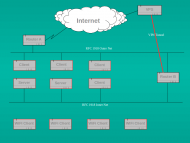
Tor traffic passes through a series of nodes before exiting at a node which cannot be linked back to the original source. So tor performance depends on a large number of both fast intermediate relays and a large number of exit nodes. Since not all tor users are prepared to run relays, let alone an exit node (it can be bandwidth expensive and in the case of an exit node can lead to your system being mistaken for a hostile, or compromised, site) tor can be slow, at times painfully slow. But recently tor has been getting faster as more relay and exit nodes are added. It is now at a state which is probably usable most of the time, so long as you are prepared to wait a little longer than is customary for some web pages to load (and you don’t use youtube…..).

When using tor recently I have tended to follow the well trodden path of local installation alongside privoxy. Because I believe in giving something back to the community if I am gaining benefit, I also set my local configuration to run as a relay. But that caused some difficulty. If we assume that my tor usage was fairly representative of the majority of tor users out there, then the fact that my relay was only operational when my client system was up and running meant that the relay would be seen by the tor network as unstable and probably slow, Indeed, the fact that I had to throttle tor usage to the minimum to stop the network from impacting unduly on my ADSL bandwidth, meant that I was not entirely happy with the setup. So I stopped relaying. But that leaves me feeling that I am taking advantage of a free good when I could be contributing to that good.

Some while back I bought myself a VPS from Bytemark (an excellent, technically savvy, UK based hosting company) to run a couple of webs and an MTA. I use it now largely as a mail server (running postfix and dovecot) and the traffic is relatively low volume. That VPS is pretty small (though actually way better specced than some real servers I have run in the past) but I reasoned that I could easily run a tor relay on that machine and then connect to it remotely from my client system. I did, and it worked fine. But I soon found that the tor network seems to have a voracious appettite for bandwidth, Even with a fairly strict exit policy (no torrents allowed!) and some tight bandwidth shaping, I still found that I was using about 2 Gig of traffic per day (vnstat is useful here). Any more than that would start to encroach on my bandwidth allowance for my VPS and possibly impact on the main business use of that server. Monthly rates for VPSs are now less than I pay for my mobile phone contract (and arguably more useful than a phone contract too) so I decided to specialise and buy another VPS just for tor. I now run an exit node on a VPS with 384 MB of RAM and 150 Gig monthly traffic allowance. That server is currently throttled to about 2 Gig of traffic per day, but I will double that very shortly.

Now one of the nicest things about running a tor relay is the fact that your own tor usage is masked and you may get better anonymity. I therefore run privoxy on my tor relay and proxy through from my client to that proxy which in turn chains to tor internally on my relay. However, if you simply configure your local client to proxy through to your relay in clear you are allowing your ISP (and anyone else who cares to look) to see your tor requests – not smart. So I tunnel my requests to the tor relay through ssh. My local client has an ssh listener which tunnels tor requests through to the relay and connects to privoxy on port 8118 bound to localhost on the relay. I also have a separate browser on my desktop which has as its proxy the ssh listener on my client system. For a good description of how to do this see tyranix’s howto on the tor wiki site. Now whenever I want to use tor myself I simply switch browser (and that browser is particularly dumb and stripped, and has no plugins or toolbars which could leak information). Of course, should I get really paranoid, I could always run the local browser in a VM on my desktop and reload the VM after each session.

But I’m not that paranoid.

bad science and worse

Sunday, March 29th, 2009

I’m a big fan of Ben Goldacre’s “bad science” column in the Guardian. He is particularly scathing about quackery and spurious medical science. His views of “Dr” Gillian McKeith in particular are well worth reading.

Whilst I was reading one of his columns recently, I was reminded of another “Dr” who seems to get away with hype and nonsense, one DK Matai “PhD” (though references to actually gaining the PhD are woefully thin these days), chairman of mi2g security. According to the ATCA membership page of the mi2g website:

“ATCA: The Asymmetric Threats Contingency Alliance is a philanthropic expert initiative founded in 2001 to resolve complex global challenges through collective Socratic dialogue and joint executive action to build a wisdom based global economy. Adhering to the doctrine of non-violence, ATCA addresses asymmetric threats and social opportunities arising from climate chaos and the environment; radical poverty and microfinance; geo-politics and energy; organised crime & extremism; advanced technologies — bio, info, nano, robo & AI; demographic skews and resource shortages; pandemics; financial systems and systemic risk; as well as transhumanism and ethics. Present membership of ATCA is by invitation only and has over 5,000 distinguished members from over 120 countries: including 1,000 Parliamentarians; 1,500 Chairmen and CEOs of corporations; 1,000 Heads of NGOs; 750 Directors at Academic Centres of Excellence; 500 Inventors and Original thinkers; as well as 250 Editors-in-Chief of major media. ”

(I think I’m meant to be impressed. Actually, I’m just baffled.)

Not surprisingly mi2g has recently jumped on the banking bandwagon and reinvented itself yet again, this time as a centre of expertise on the finance sector. Back in November 2002, el Reg posted an article about Matai which still bears reading, as does the earlier July article referring to the vmyths commentary on mi2g.

The really depressing point here is that the briefings all seem to come from members themselves. All that ATCA does is recycle the brief with the caveat: “Please note that the views presented by individual contributors are not necessarily representative of the views of ATCA, which is neutral. ATCA conducts collective Socratic dialogue on global opportunities and threats.”

This looks like a wonderfully inventive and highly lucrative variant on the blog theme. According to the ATCA membership pages of the website, I can receive 250 HTML briefings for £2,790.63 (including taxes) “as they are published”. This is the “gold” level of membership. The “bronze” level of membership (for £131.60 (including taxes)) would give me up to 10 HTML briefings “as they are published”. Perhaps readers of this blog would like to pay me similar amounts for something I may, or may not, write in future. I promise that the gold payer will get more than the bronze payer, but that is all.

(Interested readers are invited to do some simple on-line research. Try your favourite search engine with terms such as “hype” “mi2g” “myths” etc.)

and yet more DNS lunacy

Wednesday, December 24th, 2008

A company called Unified Root is offering to register new top level domains in advance of the proposed ICANN changes. The company describes itself in the following terms: “UnifiedRoot (Unified Root) is an independent, privately owned company, based in Amsterdam, which makes corporate and public top-level domains (TLDs) available worldwide. Through our own efforts and our collaboration with other leaders in the industry, UnifiedRoot (Unified Root) intends to achieve the free-market, user-driven approach to domain names that was one of the leading principles of the founding fathers of the internet. UnifiedRoot (Unified Root) provides a simple, direct, consistent and comprehensive internet addressing system, enabling governments, businesses, ISPs, and individual “www-users” to provide easier, user-friendly access to their information on the Internet. ”

The company operates a website at tldhomepage.com which markets the new TLDs and describes how users may make use of those new TLDs by becoming “unified”. They even have a useful little button marked “UnifymeNow” which will attempt to modify your DNS settings Yep, you guessed it – to use this service, you have to point your DNS resolver at servers owned and managed by UnifiedRoot. Whoop de do! Yet another subversion of DNS by a company outside the internet governance process.

Just out of interest I checked the avaliability of the TLD “.con”. It’s available.

That could be useful.